> ## Documentation Index
> Fetch the complete documentation index at: https://io.net/docs/llms.txt
> Use this file to discover all available pages before exploring further.
# Bare Metal (Self Serve) Moving Forward
> Bare Metal clusters give you direct access to hardware for maximum performance, low latency, high efficiency, and full control over configuration.
### Service Update: Bare Metal (Self Serve) Moving Forward
Bare Metal on Demand will no longer be available starting Wednesday, October 1, 2025.
If you need Bare Metal, please contact our sales team at [business@io.net](mailto:business@io.net) for managed services.
The Bare Metal Automated Solution provides fast, self-service access to dedicated hardware resources, all of which eliminate delays from custom contracts and manual setup. This solution is ideal for high-performance workloads such as AI model training, making predictions (inferencing), and other compute-heavy tasks. Through an automated deployment flow, you can select and provision devices in minutes, while our real-time dashboard offers visibility into usage, performance metrics, and costs to optimize your deployments.
Bare Metal On Demand clusters do not provide `sudo` or `root` access. Certain system-level operations requiring elevated privileges will not be possible. Please ensure your workloads and deployment requirements can operate within this restriction.
### To deploy a Bare Metal On Demand Cluster:
1. From IO Cloud, next to **Bare Metal**, click **Request**.
2. Select a location.
3. Select your Connectivity Tier.
4. Select your processor.
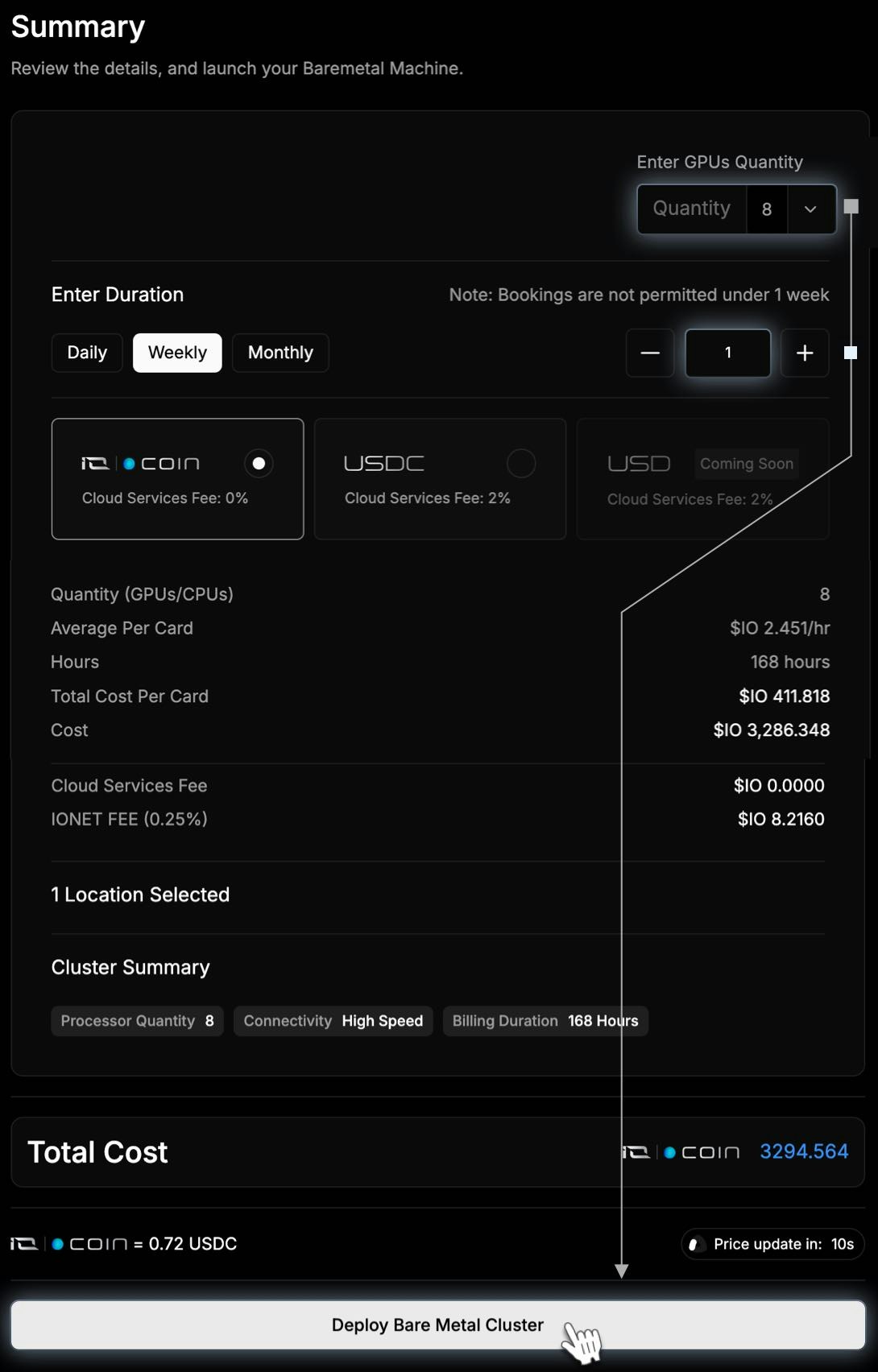
5. Before submitting your request, you can view a summary of all details of your bare metal solution, including the duration and pricing.
### Bare Metal Dashboard
Our real-time dashboard provides the following insights to help you track and optimize your deployments:
| | |
| ------------------- | ---------------------------------------------------------------------------------------------------------------- |
| Device Inventory | View active, idle, and available devices in your cluster. |
| Performance Metrics | Track CPU, memory, and GPU utilization for each device, enabling real-time monitoring and adjustments. |
| Usage Tracking | View historical and current device usage data to understand and optimize resource allocation. |
| Pricing Information | Real-time cost breakdowns help you manage budget and understand the impact of each device on your overall spend. |
| Revenue Insights | For multi-tenancy or resale scenarios, monitor revenue generated by specific devices and clusters. |
At the end of your rental period, we securely wipe and restore each Bare Metal device to its original state. We adhere to strict data security protocols to prevent unauthorized access and maintain compliance with industry standards throughout the device lifecycle.
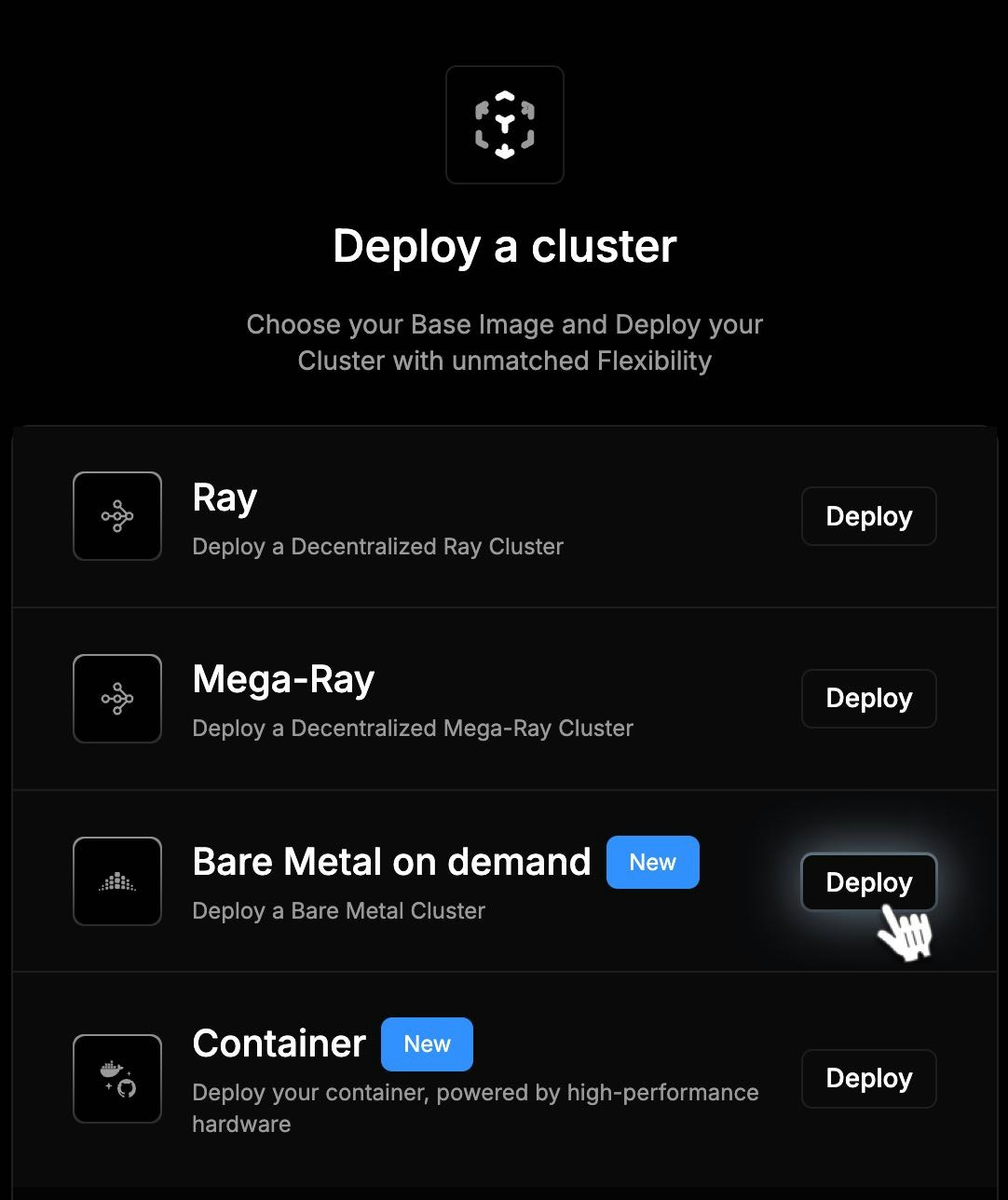 2. Select a location.
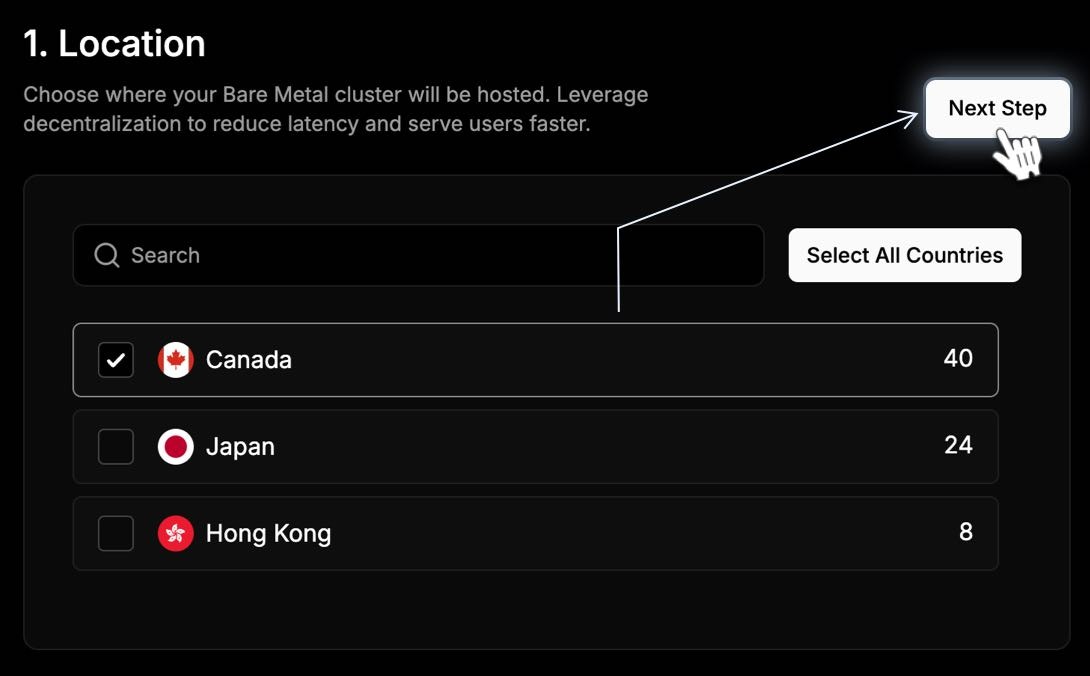 3. Select your Connectivity Tier.
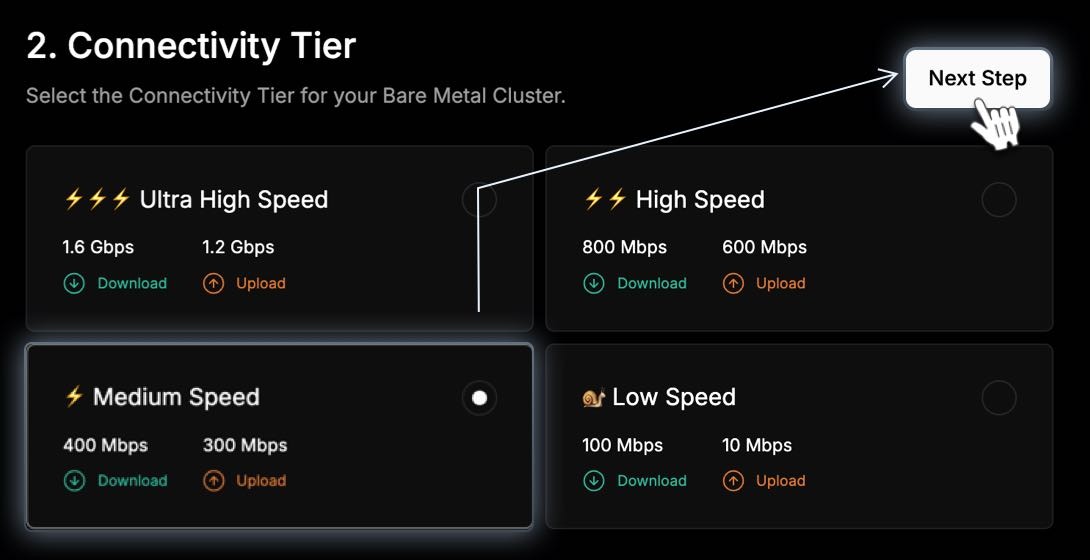 4. Select your processor.
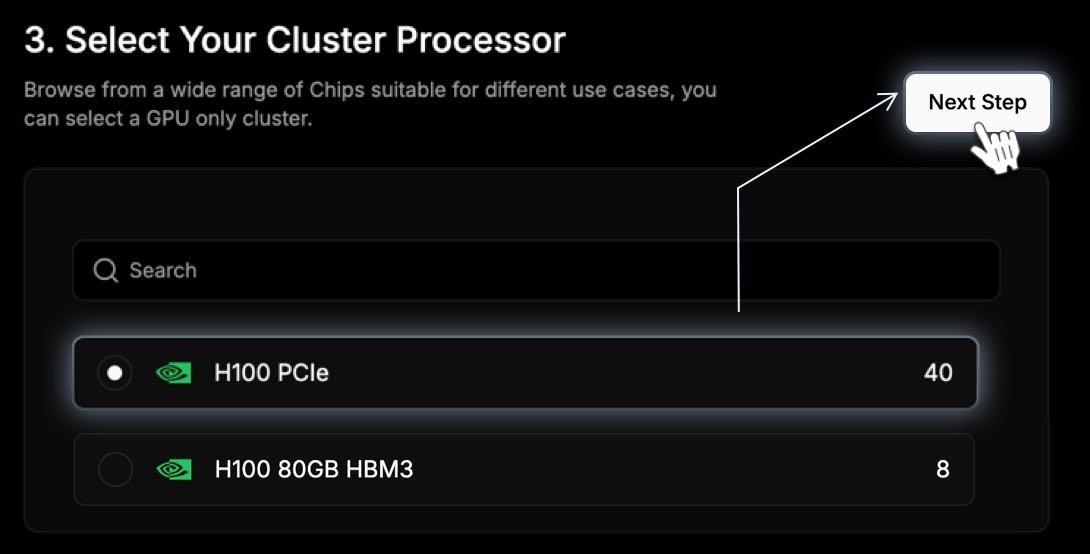 5. Before submitting your request, you can view a summary of all details of your bare metal solution, including the duration and pricing.
 ### Bare Metal Dashboard
Our real-time dashboard provides the following insights to help you track and optimize your deployments:
| | |
| ------------------- | ---------------------------------------------------------------------------------------------------------------- |
| Device Inventory | View active, idle, and available devices in your cluster. |
| Performance Metrics | Track CPU, memory, and GPU utilization for each device, enabling real-time monitoring and adjustments. |
| Usage Tracking | View historical and current device usage data to understand and optimize resource allocation. |
| Pricing Information | Real-time cost breakdowns help you manage budget and understand the impact of each device on your overall spend. |
| Revenue Insights | For multi-tenancy or resale scenarios, monitor revenue generated by specific devices and clusters. |
### Bare Metal Dashboard
Our real-time dashboard provides the following insights to help you track and optimize your deployments:
| | |
| ------------------- | ---------------------------------------------------------------------------------------------------------------- |
| Device Inventory | View active, idle, and available devices in your cluster. |
| Performance Metrics | Track CPU, memory, and GPU utilization for each device, enabling real-time monitoring and adjustments. |
| Usage Tracking | View historical and current device usage data to understand and optimize resource allocation. |
| Pricing Information | Real-time cost breakdowns help you manage budget and understand the impact of each device on your overall spend. |
| Revenue Insights | For multi-tenancy or resale scenarios, monitor revenue generated by specific devices and clusters. |