> ## Documentation Index
> Fetch the complete documentation index at: https://io.net/docs/llms.txt
> Use this file to discover all available pages before exploring further.
# IO Intelligence APIs
> IO Intelligence API serves as a bridge to powerful, open-source machine learning models, deployed on io.net hardware, allowing you to integrate cutting-edge AI capabilities into your projects with relative ease. To make the integration easy for your application, we fully support the API contract presented by OpenAI, making it fully OpenAI API compatible.
This guide is for users who want to use *IO Intelligence API keys* to use our open-source ***LLM Model Marketplace*** or ***AI Agents*** for your applications. You can also refer to [API References](/reference/ai-models/get-started-with-io-intelligence-api) for a more detailed approach to our APIs.
## Getting Started
To use *IO Intelligence APIs*, you will need an **API key**. Follow these steps to get started:
1. **Sign up** for an account on **IO Intelligence**.
2. **Create an API key** (see [Creating an API Key](https://ai.io.net/ai/api-keys)).
3. Explore the available open-source ***AI Models*** and ***AI Agents***.
4. Use the **API References** to integrate the API into your application.
### Creating an API Key:
1. Navigate to the **API Keys** section.
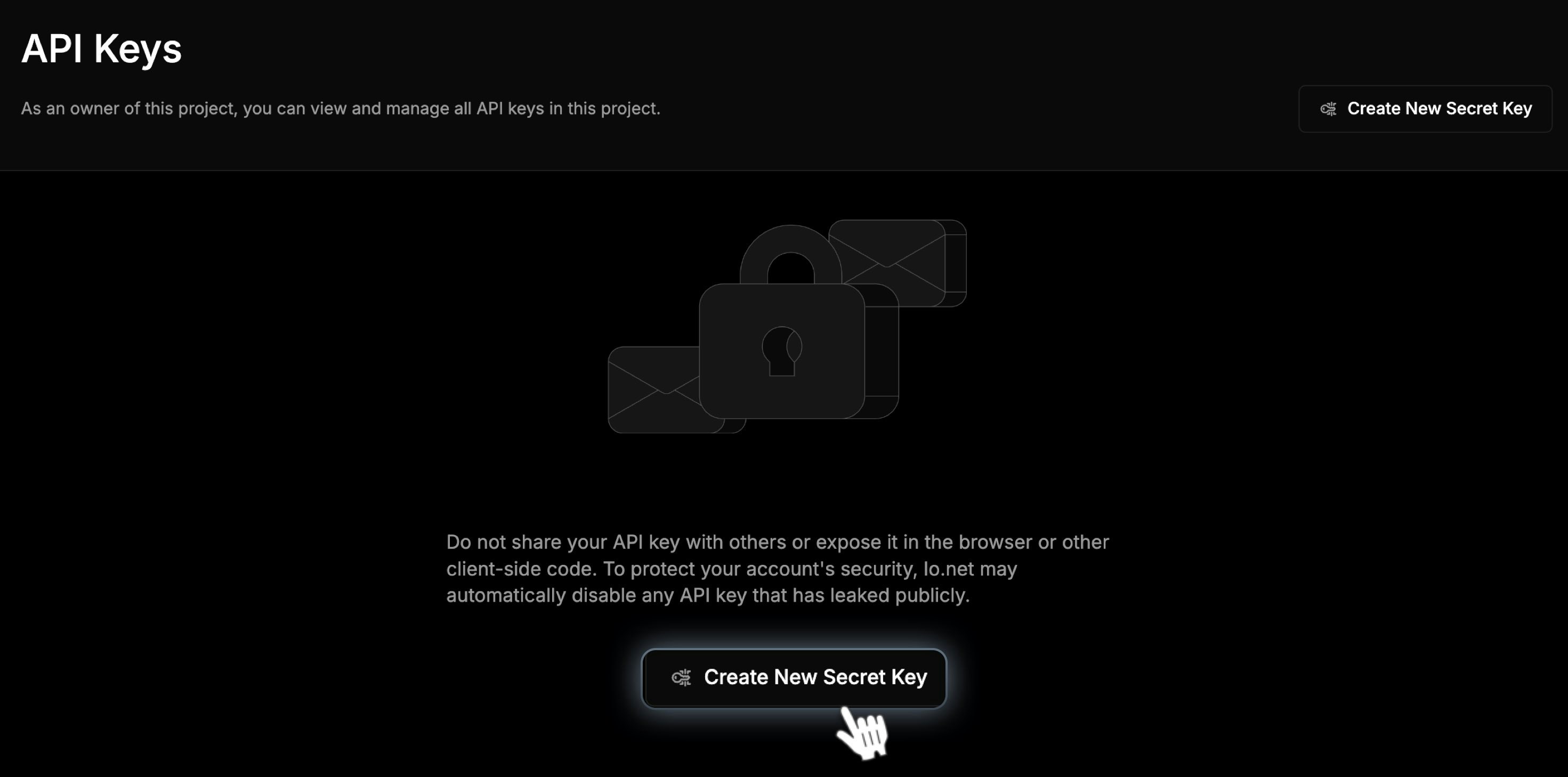
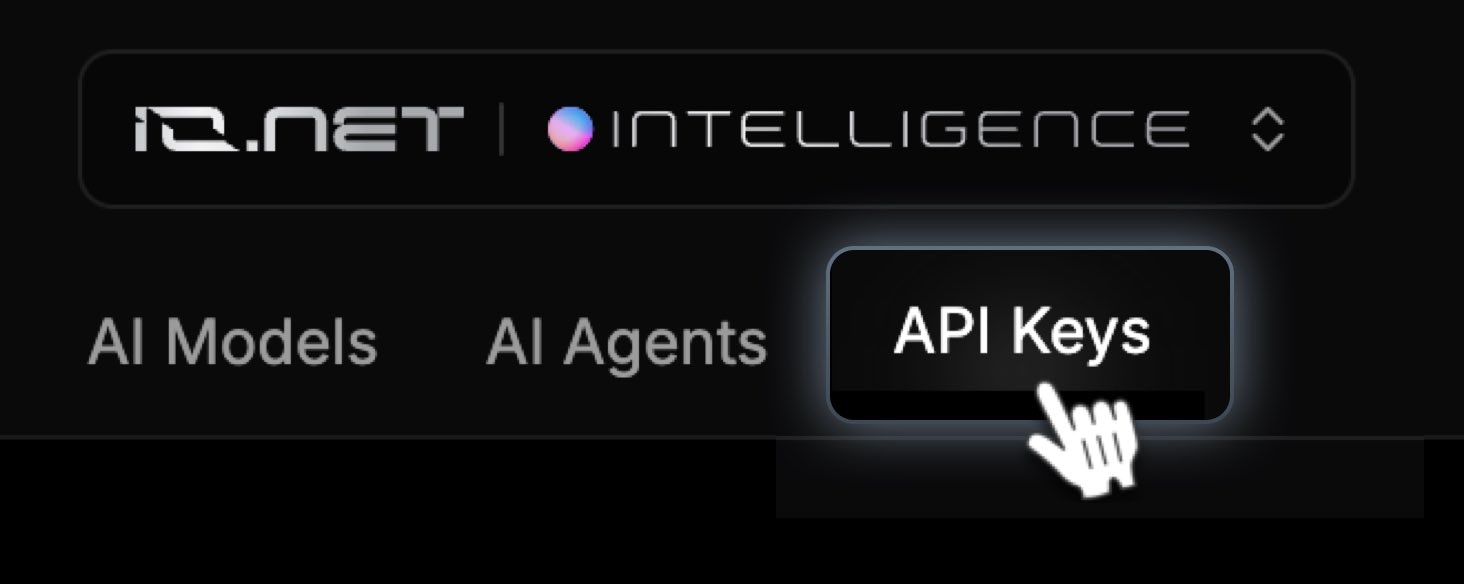 2. Click ***Create New Secret Key.***
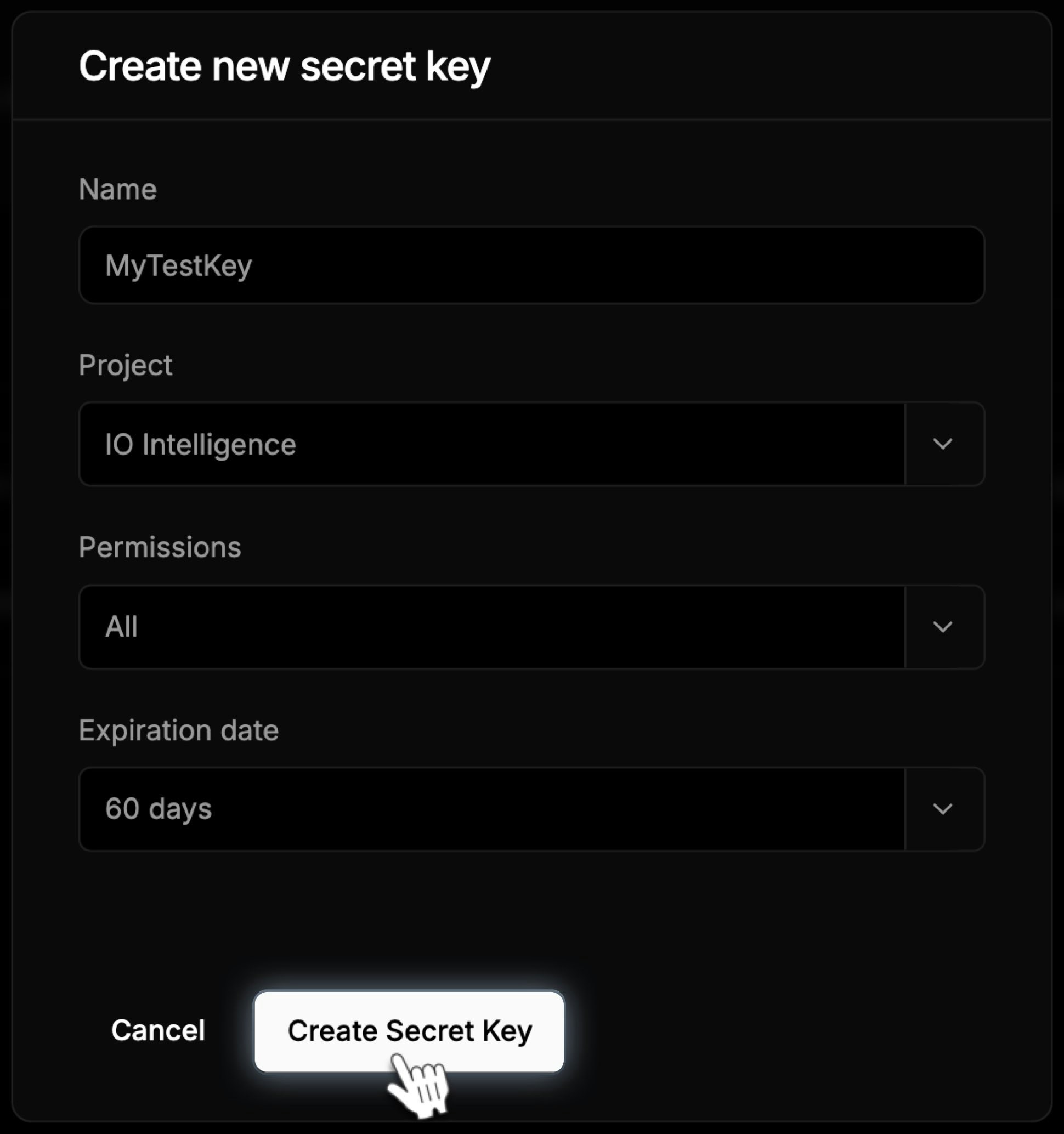
 3. Fill in the required details:
* **Name**: Enter a descriptive name for your key.
* **Project**: Select your project (i.e. "IO Intelligence").
* **Permissions**: Choose from **All**, **Read** or **Write**.
* **Expiration** **Date**: Select **30**, **60**, **90**, or **180** days.
4. Click ***Create Secret Key***.
3. Fill in the required details:
* **Name**: Enter a descriptive name for your key.
* **Project**: Select your project (i.e. "IO Intelligence").
* **Permissions**: Choose from **All**, **Read** or **Write**.
* **Expiration** **Date**: Select **30**, **60**, **90**, or **180** days.
4. Click ***Create Secret Key***.
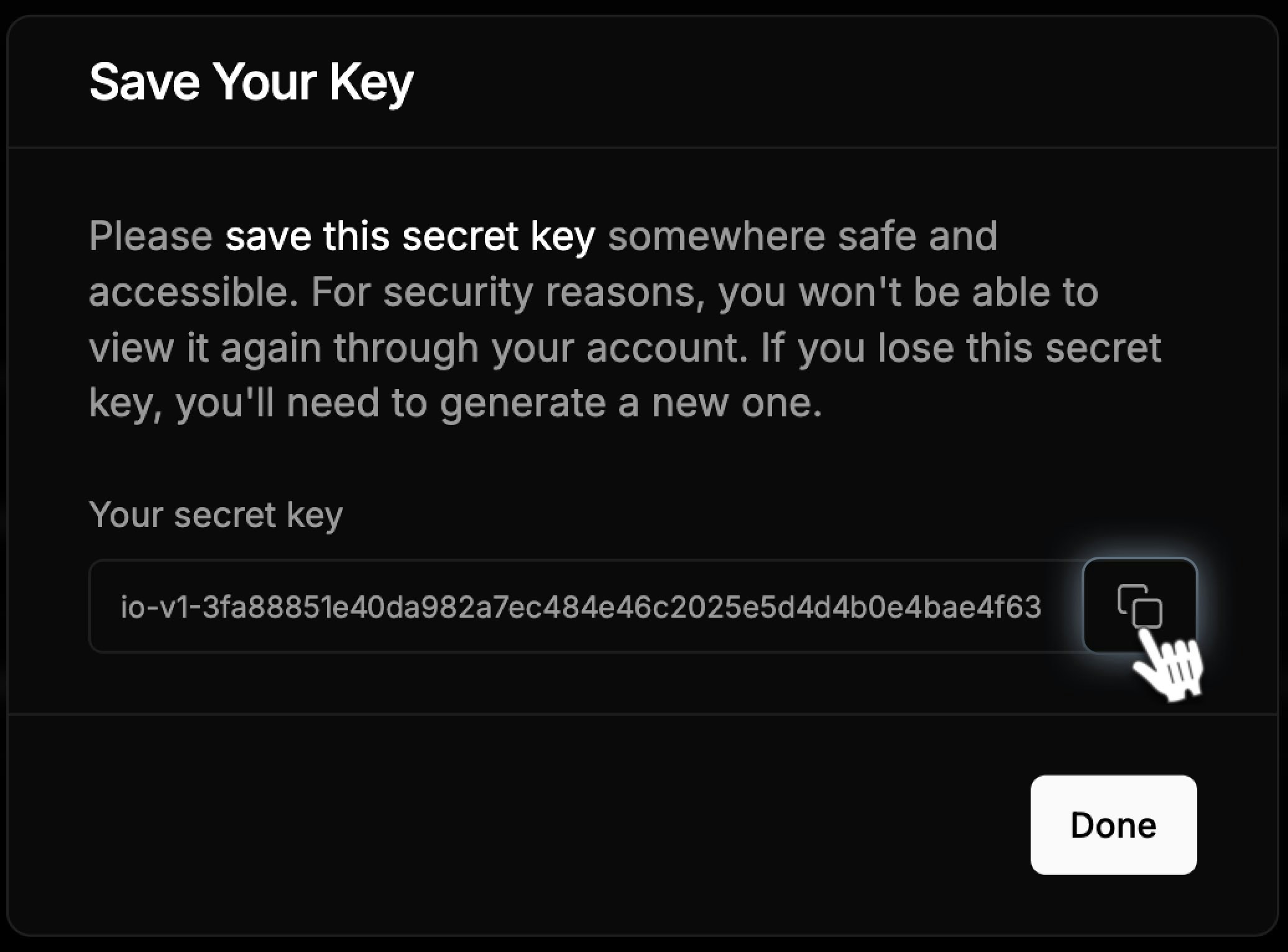
 5. A popup will appear with your secret key. **Copy the secret key and store it securely (e.g., in a password manager or secure file).**
 ### Managing API Keys
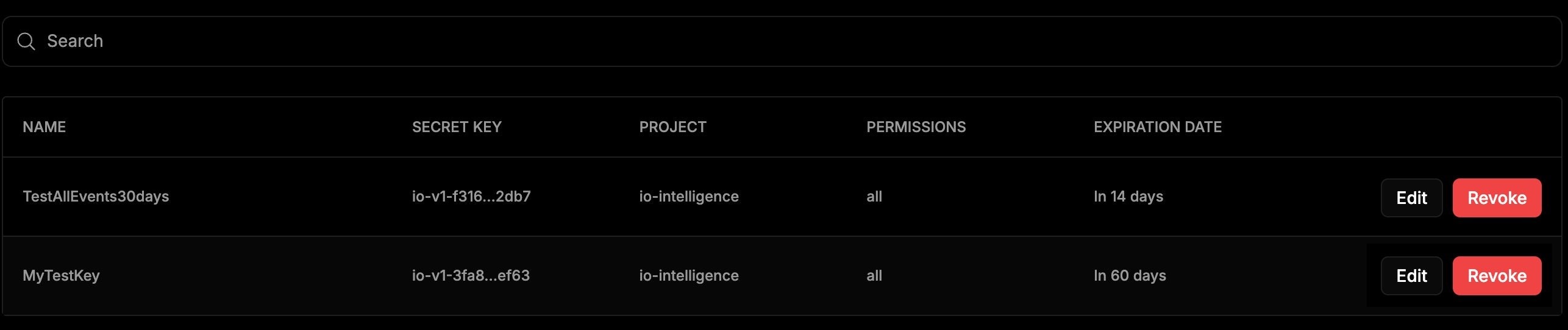
**Search API Keys:** Use the *Search* field to find a previously created key.
**View API Key Details:**
* **Name**: The identifier of the key.
* **Project**: The associated project.
* **Permissions**: Access levels assigned to the key.
* **Expiration Date:** The validity period of the key.
* **Editing a Key**: Update the name or permissions of an existing key.
* **Revoking a Key**: If a key is no longer needed, you can revoke it. Note that once revoked, the key cannot be restored.
### Managing API Keys
**Search API Keys:** Use the *Search* field to find a previously created key.
**View API Key Details:**
* **Name**: The identifier of the key.
* **Project**: The associated project.
* **Permissions**: Access levels assigned to the key.
* **Expiration Date:** The validity period of the key.
* **Editing a Key**: Update the name or permissions of an existing key.
* **Revoking a Key**: If a key is no longer needed, you can revoke it. Note that once revoked, the key cannot be restored.
 ### Revoking API Keys
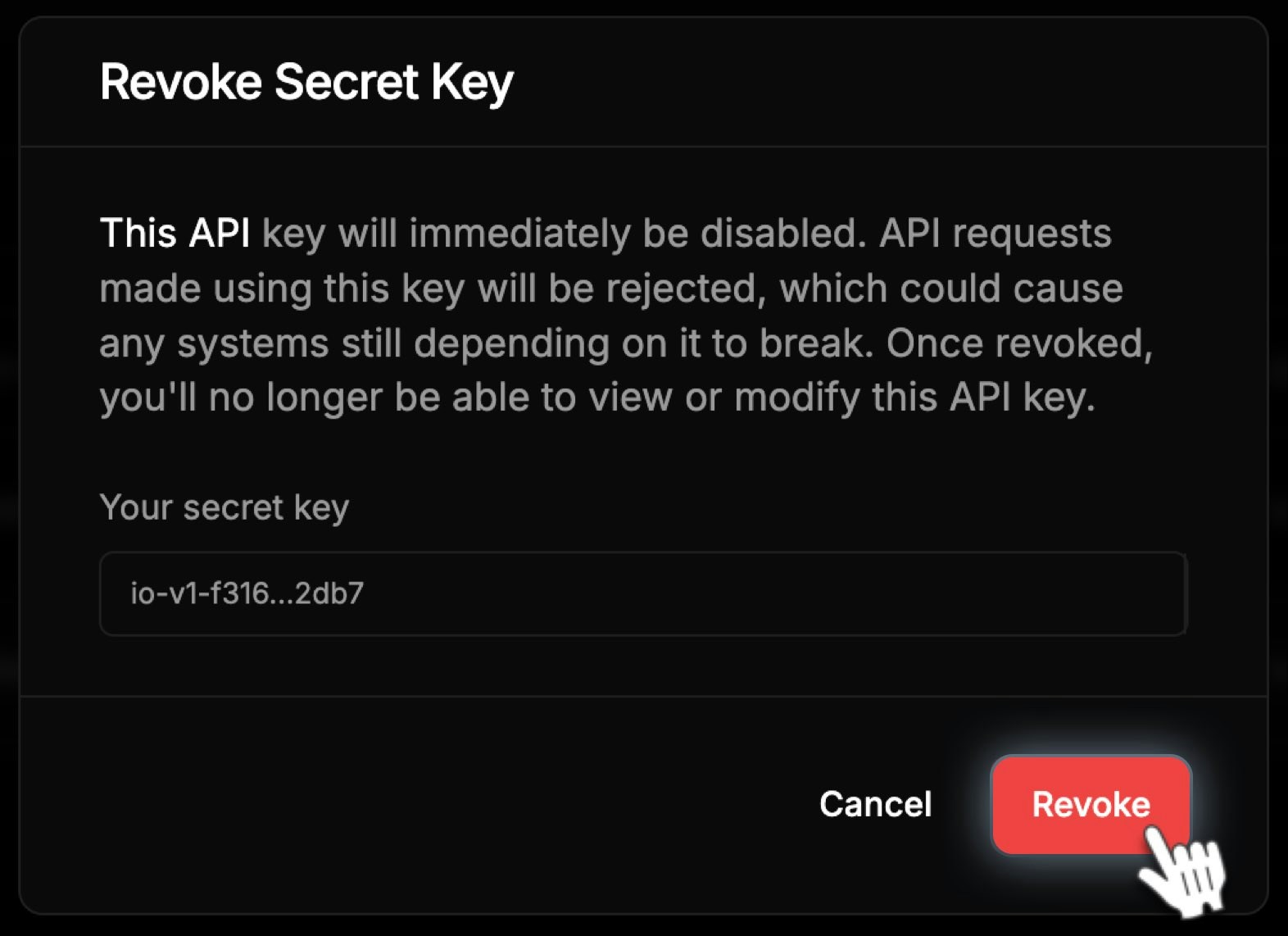
1. Click the **Revoke** button in the *API Key* table.
2. A confirmation popup will appear.
3. Confirm the action to revoke the key.
### Revoking API Keys
1. Click the **Revoke** button in the *API Key* table.
2. A confirmation popup will appear.
3. Confirm the action to revoke the key.
 ## Using the API
To use *IO Intelligence APIs*:
1. Authenticate your requests using your **API Key**.
2. Send requests to the appropriate endpoints.
3. Handle responses and integrate them into your application.
**Example: cURL Request**
```curl curl theme={null}
curl https://api.intelligence.io.solutions/api/v1/chat/completions /
-H "Content-Type: application/json" /
-H "Authorization: Bearer \$IOINTELLIGENCE_API_KEY" /
-d '{
"model": "meta-llama/Llama-3.3-70B-Instruct",
"messages": [{"role": "user", "content": "Say this is a test!"}],
"temperature": 0.7
}'
```
For detailed information on API endpoints, parameters, and examples, visit the **API References** tab.
## FAQs
IO Intelligence API allows developers to integrate advanced AI models and agents into their applications for various use cases like text generation, embeddings, and more.
Do not share your API key publicly. Use environment variables to store API keys securely. Rotate your API keys periodically.
The IO Intelligence API offers different **free daily limits per account**, depending on the AI model. See the table in our [API Reference](/reference/ai-models/get-started-with-io-intelligence-api) for model-specific limits.
## Using the API
To use *IO Intelligence APIs*:
1. Authenticate your requests using your **API Key**.
2. Send requests to the appropriate endpoints.
3. Handle responses and integrate them into your application.
**Example: cURL Request**
```curl curl theme={null}
curl https://api.intelligence.io.solutions/api/v1/chat/completions /
-H "Content-Type: application/json" /
-H "Authorization: Bearer \$IOINTELLIGENCE_API_KEY" /
-d '{
"model": "meta-llama/Llama-3.3-70B-Instruct",
"messages": [{"role": "user", "content": "Say this is a test!"}],
"temperature": 0.7
}'
```
For detailed information on API endpoints, parameters, and examples, visit the **API References** tab.
## FAQs
IO Intelligence API allows developers to integrate advanced AI models and agents into their applications for various use cases like text generation, embeddings, and more.
Do not share your API key publicly. Use environment variables to store API keys securely. Rotate your API keys periodically.
The IO Intelligence API offers different **free daily limits per account**, depending on the AI model. See the table in our [API Reference](/reference/ai-models/get-started-with-io-intelligence-api) for model-specific limits.