> ## Documentation Index
> Fetch the complete documentation index at: https://io.net/docs/llms.txt
> Use this file to discover all available pages before exploring further.
# Solo Staked Devices
> This section outlines how to individually stake IO and manage your stake effectively. For general information, refer to .
## Staking Tab
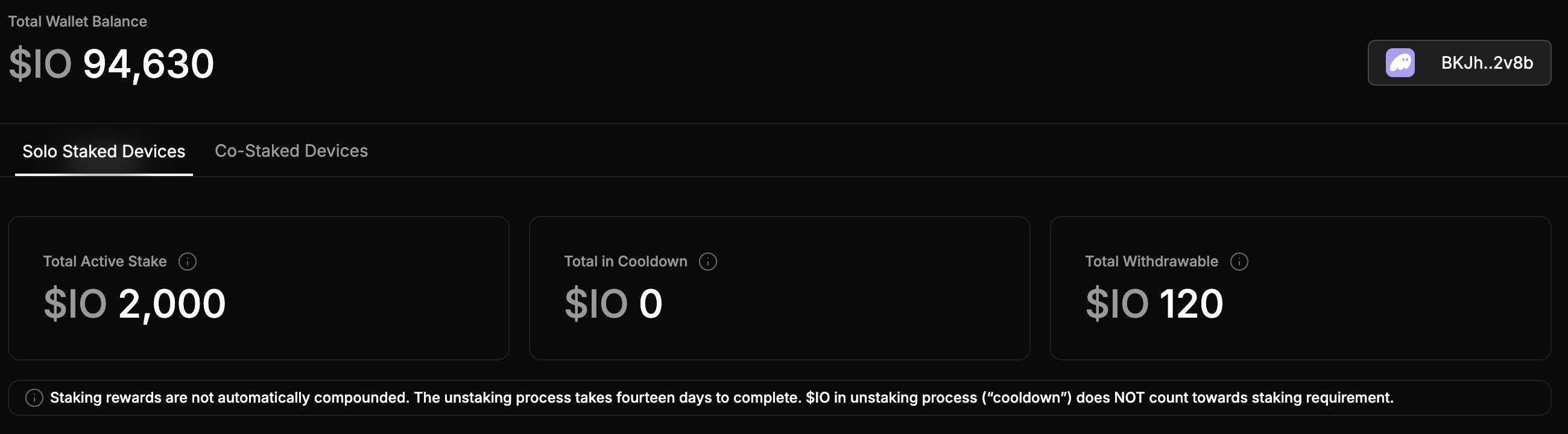
To view the Staking tab, go to io.net > **IO Worker** > **Staking**. The Staking tab displays:
* **Total Wallet Balance:** Available balance in \$IO.
* **Total Active Stake**: Amount actively staked.
* **Total in Cooldown**: Funds in the unstaking process.
* **Rewards from the Latest Block**: Your latest block rewards in \$IO.
 ## How to Stake
#### Connect Your Crypto Wallet
To stake on IO, you need to connect your crypto wallet.
1. Go to io.net > **IO Worker** > **Staking** tab.
2. Follow the steps in [Rewards and Wallets](/guides/workers/rewards-wallets) to connect your wallet.
Staking above the minimum required stake does not increase block rewards.
#### Stake \$IO
Once you’ve connected your wallet, you can stake \$IO to your device. After you connect your device to our network, you must stake to the device.
To view your devices that have no stake or only a stake from the device owner, click the **Solo Staked Devices** tab. The screenshot below shows a **list of devices**, indicating whether they have no stake, or just the owner’s stake.
## How to Stake
#### Connect Your Crypto Wallet
To stake on IO, you need to connect your crypto wallet.
1. Go to io.net > **IO Worker** > **Staking** tab.
2. Follow the steps in [Rewards and Wallets](/guides/workers/rewards-wallets) to connect your wallet.
Staking above the minimum required stake does not increase block rewards.
#### Stake \$IO
Once you’ve connected your wallet, you can stake \$IO to your device. After you connect your device to our network, you must stake to the device.
To view your devices that have no stake or only a stake from the device owner, click the **Solo Staked Devices** tab. The screenshot below shows a **list of devices**, indicating whether they have no stake, or just the owner’s stake.
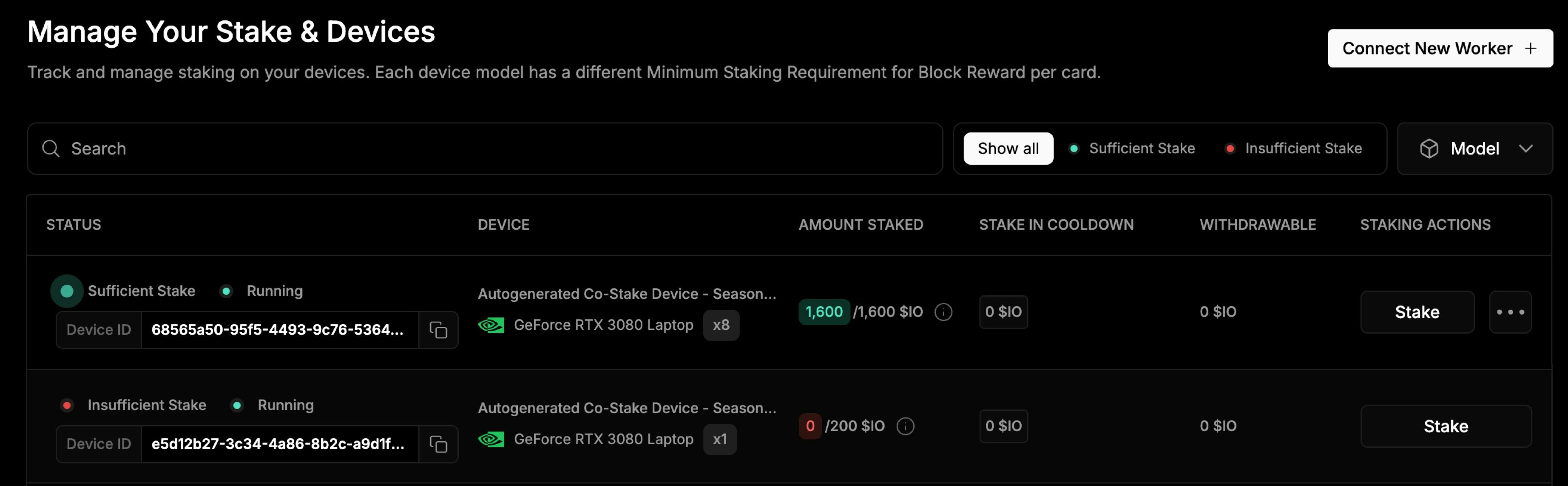 Before making a co-staking offer, a full stake must be created for your device.
#### Stake your tokens
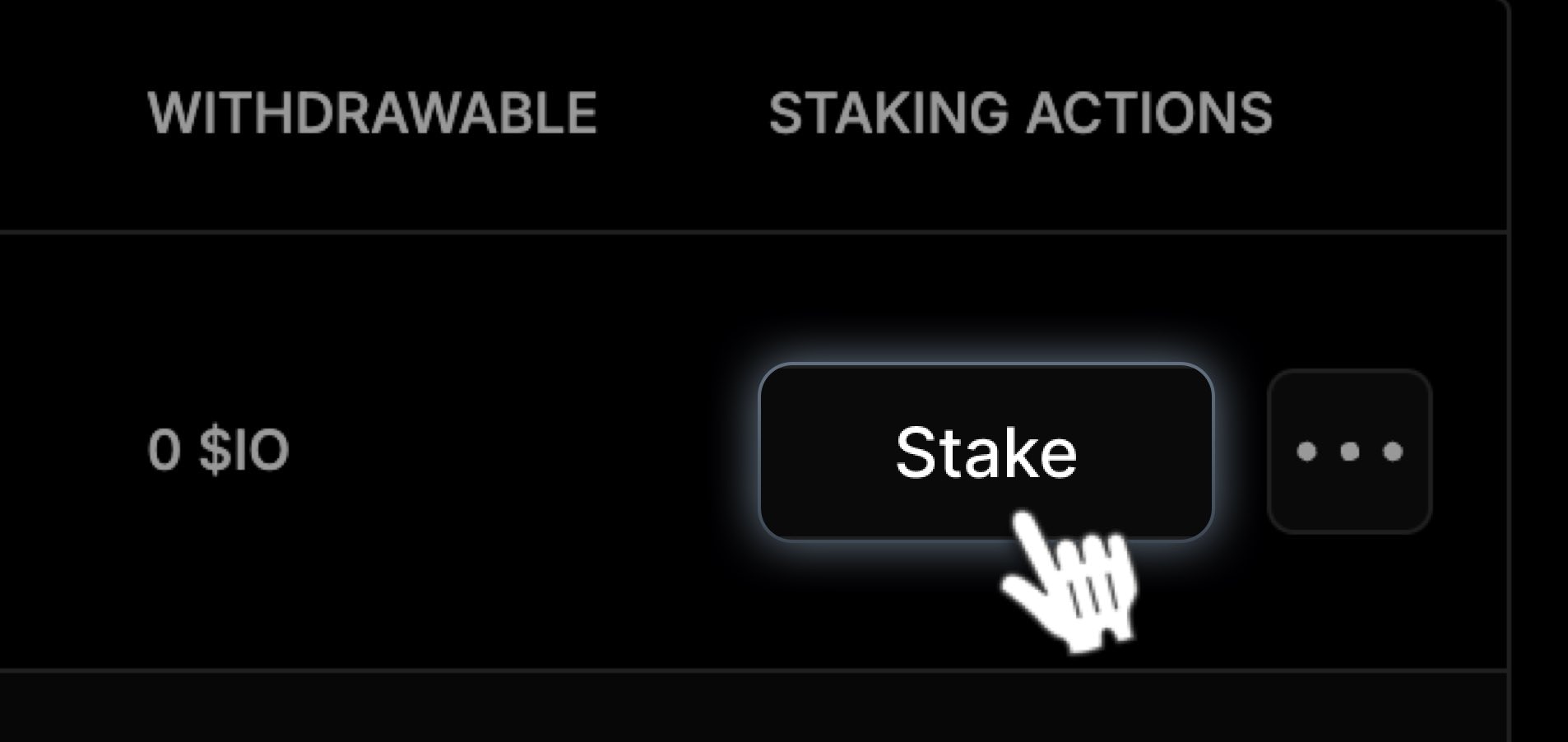
1. Locate your device and click **Stake** in the **Staking Actions** column.
Before making a co-staking offer, a full stake must be created for your device.
#### Stake your tokens
1. Locate your device and click **Stake** in the **Staking Actions** column.
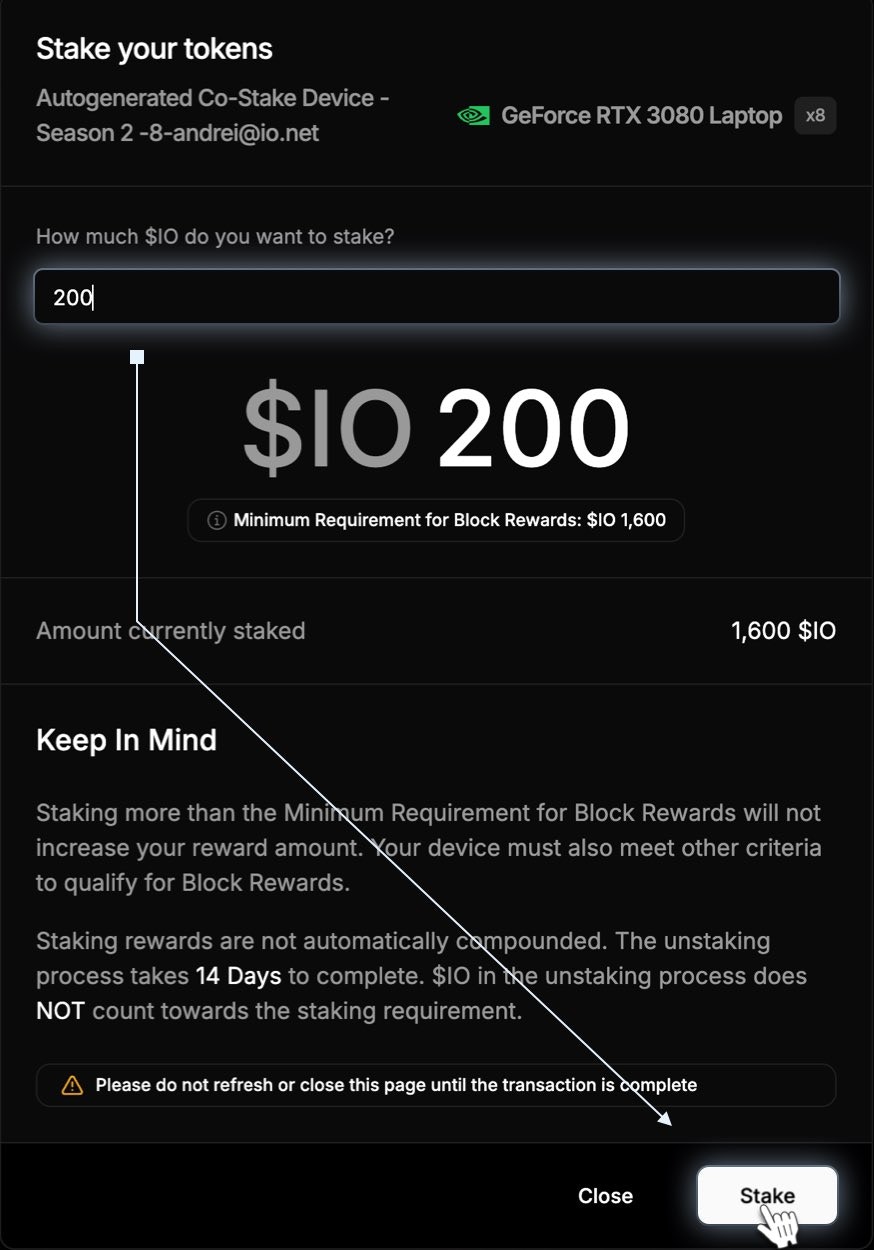
 2. In the pop-up window, enter the required **\$IO amount** to stake your device, then click **Stake**. Any subsequent solo staking attempts on the same worker must use the wallet that was initially used for the device’s stake.
 ## 14-Day Cooldown Period
The **14-day cooldown period** is important when unstaking your funds. Here's how it works:
* You can **unstake** at any time, but there is a **14-day cooldown period** before the funds can be fully withdrawn.
* **Funds in cooldown** are **not counted toward staking requirements.**
* During the cooldown, your funds remain locked and cannot be withdrawn until the process is complete.
During the cooldown period, your funds do not contribute to staking rewards. You will only be able to access your funds after the 14-day period ends.
## 14-Day Cooldown Period
The **14-day cooldown period** is important when unstaking your funds. Here's how it works:
* You can **unstake** at any time, but there is a **14-day cooldown period** before the funds can be fully withdrawn.
* **Funds in cooldown** are **not counted toward staking requirements.**
* During the cooldown, your funds remain locked and cannot be withdrawn until the process is complete.
During the cooldown period, your funds do not contribute to staking rewards. You will only be able to access your funds after the 14-day period ends.