> ## Documentation Index
> Fetch the complete documentation index at: https://io.net/docs/llms.txt
> Use this file to discover all available pages before exploring further.
# How to Stake
> This document describes how to stake with $IO. Staking is a crucial component of our network security and efficiency. For general information about staking, see .
## Table of Contents
* [Staking Tab](/docs/guides/staking/staking#staking-tab)
* [How to Stake](/docs/guides/staking/staking#how-to-stake)
* [Connect Crypto Wallet](/docs/guides/staking/staking#connect-crypto-wallet)
* [Stake \$IO](/docs/guides/staking/staking#stake-io)
* [Smart Contract Address](/docs/guides/staking/staking#smart-contract-address)
## Staking Tab
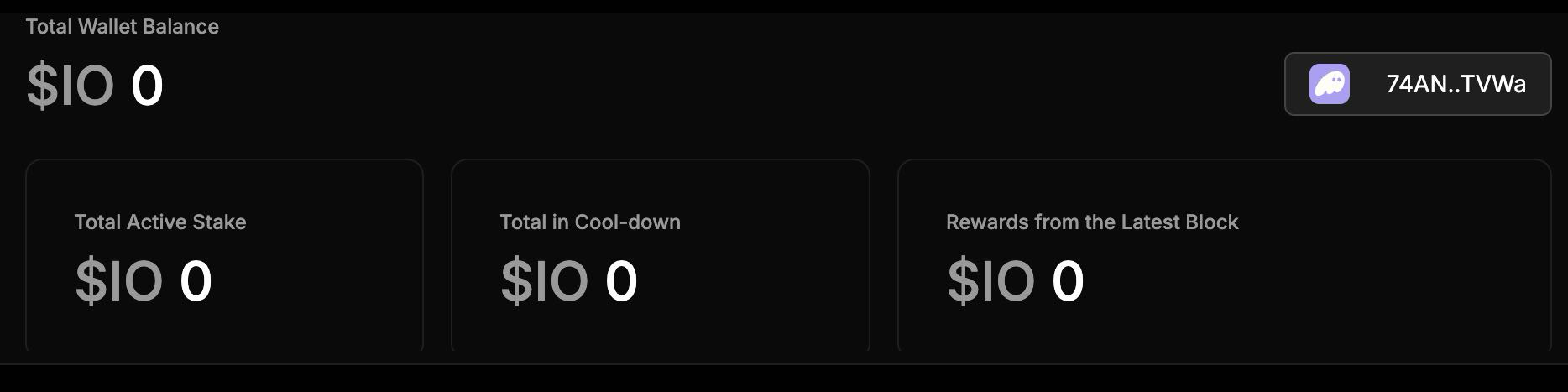
To view the **Staking** tab, go to io.net > **IO Worker** > **Staking**. This tab displays information about your staking earnings:
* Total Wallet Balance in \$IO
* Total Active Stake in \$IO
* Total in Cooldown in \$IO
* Rewards from the Latest Block in \$IO
 Staking rewards are not automatically compounded. The unstaking process takes fourteen days to complete. \$IO in the unstaking process (cooldown) does NOT count towards staking requirement.
## How to Stake
#### Connect Crypto Wallet
To stake on IO, you need to connect your crypto wallet.
If you stake more than the minimum required stake, you don’t earn extra block rewards.
1. In io.net, go to **IO Worker** > **Staking** tab.
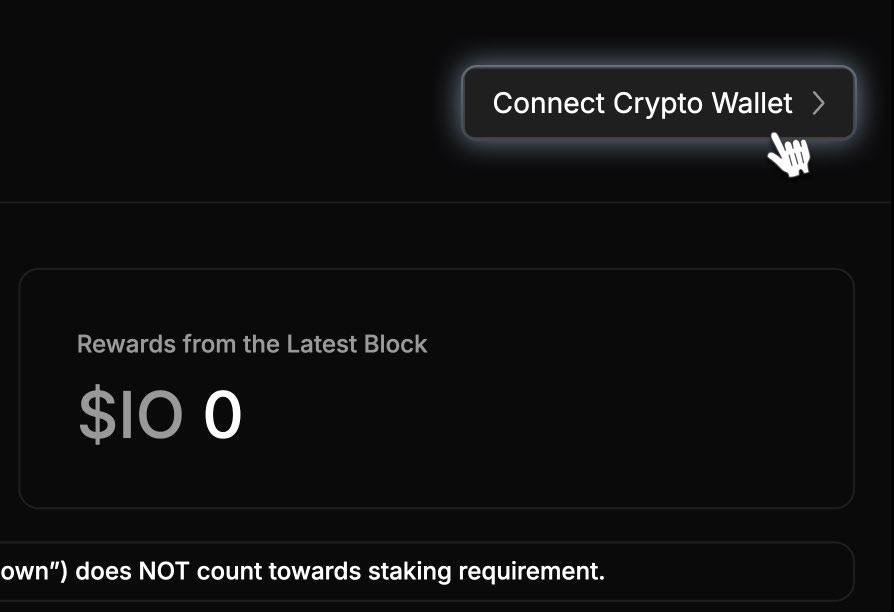
2. Click **Connect Crypto Wallet** on the right side on the **Staking** page.
Staking rewards are not automatically compounded. The unstaking process takes fourteen days to complete. \$IO in the unstaking process (cooldown) does NOT count towards staking requirement.
## How to Stake
#### Connect Crypto Wallet
To stake on IO, you need to connect your crypto wallet.
If you stake more than the minimum required stake, you don’t earn extra block rewards.
1. In io.net, go to **IO Worker** > **Staking** tab.
2. Click **Connect Crypto Wallet** on the right side on the **Staking** page.
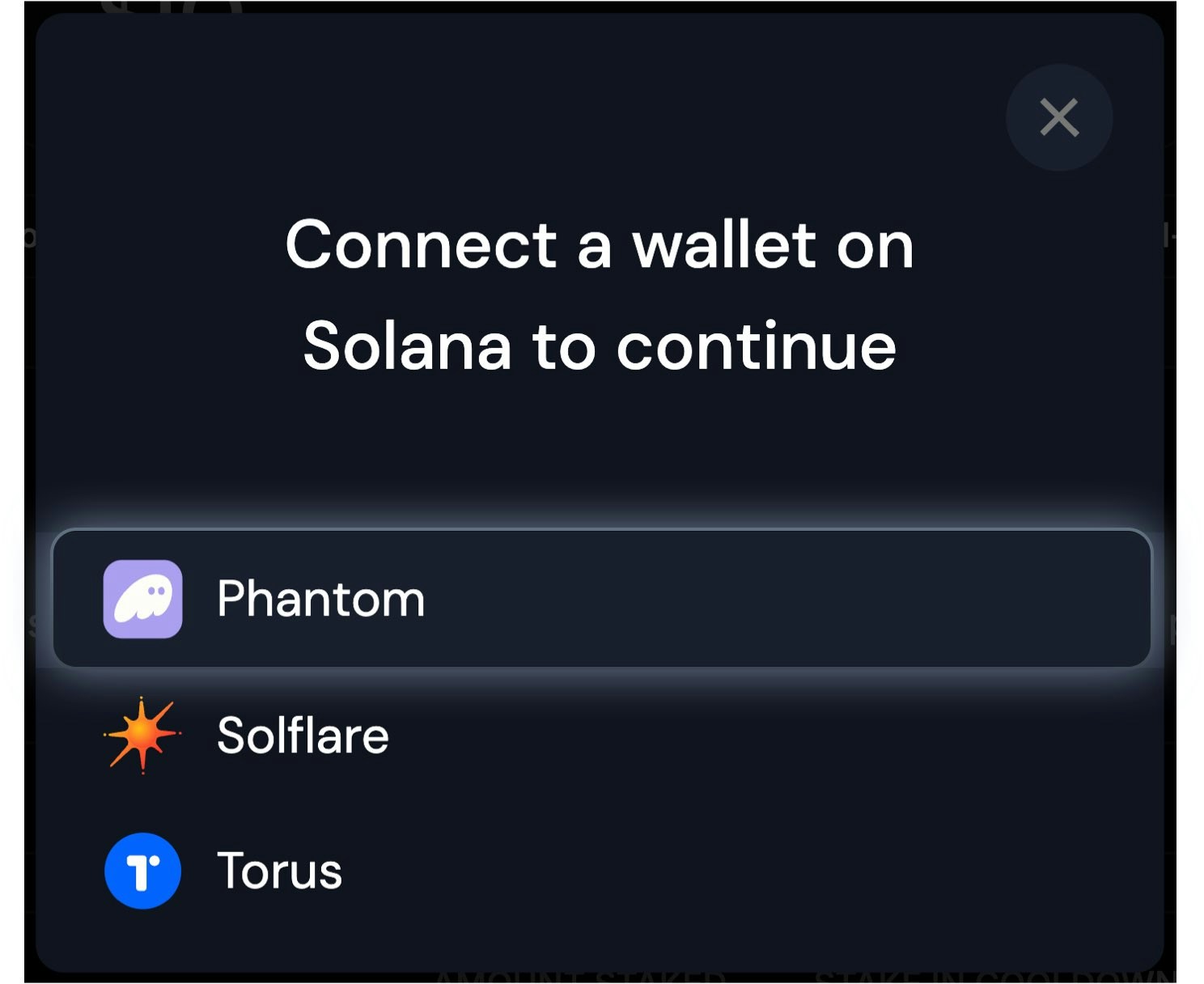
 3. Select your crypto wallet in the pop-up window. Please note that this wallet can be different from the wallet you have associated with your account. For example, see [Solana Wallet](/docs/docs/solana) to learn more.
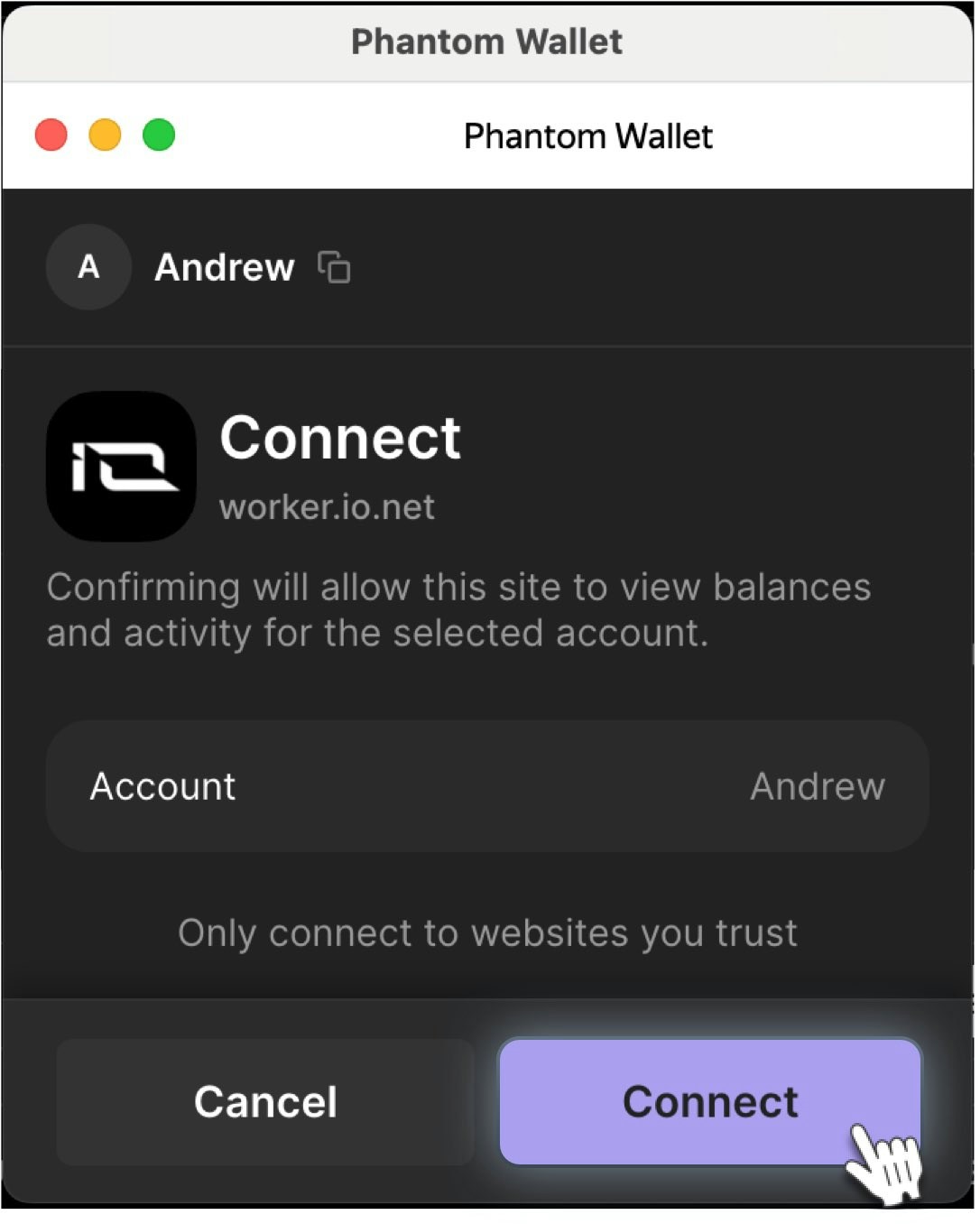
 4. The **Phantom** wallet prompts you to connect with IO. Click **Connect** to proceed.
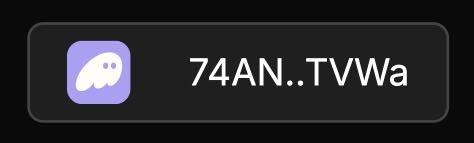
 After the wallet is connected, your Wallet ID is displayed on the right side of the **Staking** page. This indicates a **successful connection.**
 #### Stake \$IO
Now that your crypto wallet is connected, you are ready to stake \$IO..
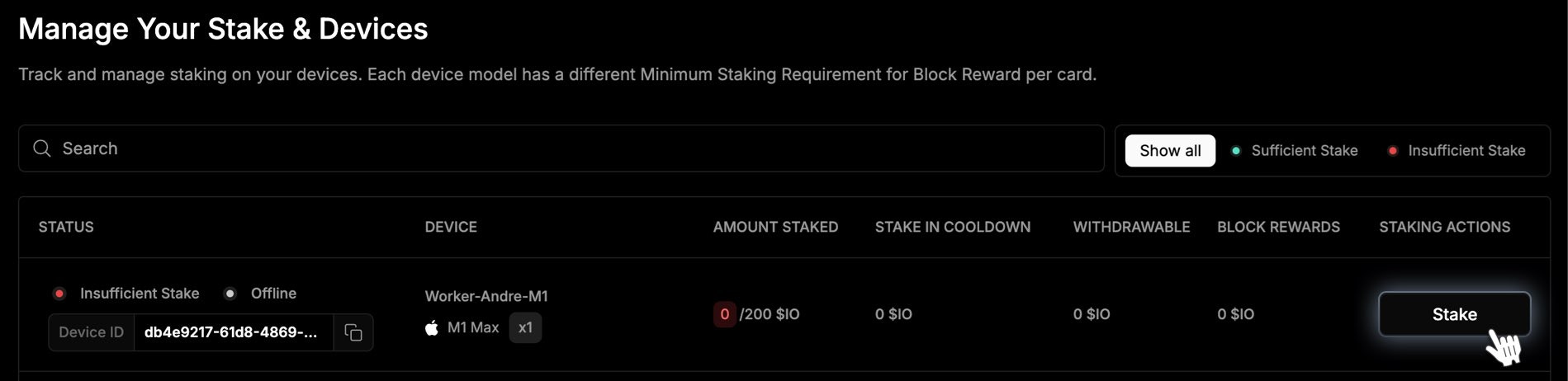
1. Locate the worker you want to stake to and click the **Stake** button under **Staking Actions** in the **Manage Your Stake & Devices** table.
#### Stake \$IO
Now that your crypto wallet is connected, you are ready to stake \$IO..
1. Locate the worker you want to stake to and click the **Stake** button under **Staking Actions** in the **Manage Your Stake & Devices** table.
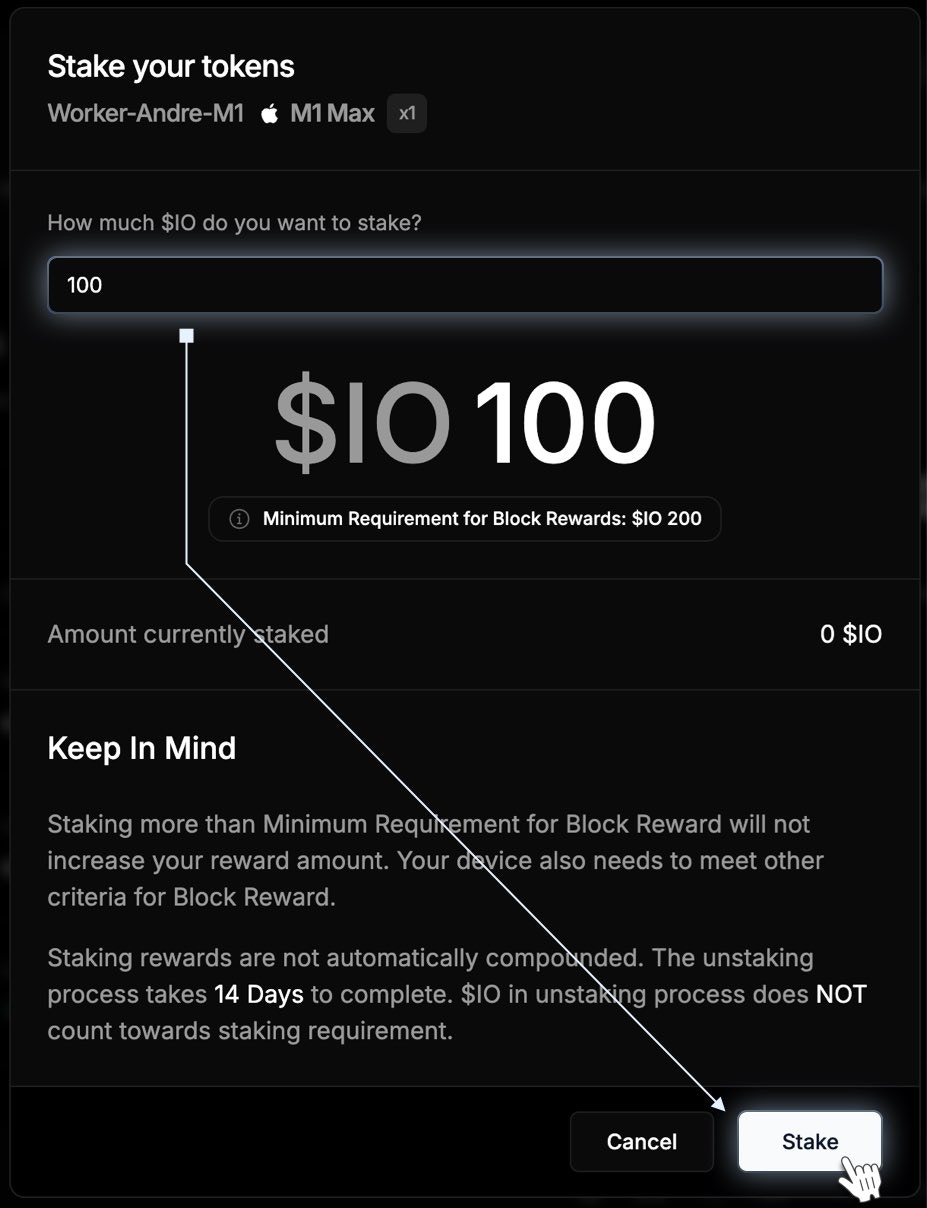
 2. In the pop-up window, enter the required amount of `$IO` for your hardware, and confirm by clicking the **Stake** button. Remember that you can always add to your `$IO` stake later, but you must use the same wallet that you originally used to stake on that device.
 You can unstake at any time, and an Unstake option will be available for each device you’ve staked. Bear in mind that once you unstake, you will need to wait for a 14-day cooldown period before the stake can be withdrawn. Stake in cooldown does not count towards the staking requirement for devices to receive Block Rewards.
## Smart Contract Address
This smart contract address is a unique identifier where the \$IO staking contract is deployed:
```
https://solscan.io/account/8tvkkogztREitU38YBxZDmirRiarcm5vNaCV2P2pFArz
```
#### Security
Solscan allows you to explore and view data stored on the Solana blockchain. You can use this to verify the smart contract address you are interacting with against the official address provided in our documentation. This ensures you are engaging with the legitimate contract.
You can also review the total amount of \$IO staked on the blockchain. You can confirm the staked amounts and verify that info matches your expectations.
Read the suggestions below to enhance the security of your stake:
* Manually enter io.net into your URL to stake and bookmark it. Don't search for io.net to avoid imposter websites. Sites such as [GoDaddy](https://www.godaddy.com/whois) offer domain lookups. Most imposter sites are active for a very short period of time.
* Do not click on links from unverified sources. Beware of strangers approaching you on social media about crypto opportunities.
* Be aware of phishing websites and fake contracts that attempt to mimic our staking platform. If something seems suspicious, verify the information with our resources or contact our support team.
* Always use a secure wallet and consider hardware wallets for added security. Be cautious of any prompts that ask for your private keys or seed phrases. We won't ask for this information.
You can unstake at any time, and an Unstake option will be available for each device you’ve staked. Bear in mind that once you unstake, you will need to wait for a 14-day cooldown period before the stake can be withdrawn. Stake in cooldown does not count towards the staking requirement for devices to receive Block Rewards.
## Smart Contract Address
This smart contract address is a unique identifier where the \$IO staking contract is deployed:
```
https://solscan.io/account/8tvkkogztREitU38YBxZDmirRiarcm5vNaCV2P2pFArz
```
#### Security
Solscan allows you to explore and view data stored on the Solana blockchain. You can use this to verify the smart contract address you are interacting with against the official address provided in our documentation. This ensures you are engaging with the legitimate contract.
You can also review the total amount of \$IO staked on the blockchain. You can confirm the staked amounts and verify that info matches your expectations.
Read the suggestions below to enhance the security of your stake:
* Manually enter io.net into your URL to stake and bookmark it. Don't search for io.net to avoid imposter websites. Sites such as [GoDaddy](https://www.godaddy.com/whois) offer domain lookups. Most imposter sites are active for a very short period of time.
* Do not click on links from unverified sources. Beware of strangers approaching you on social media about crypto opportunities.
* Be aware of phishing websites and fake contracts that attempt to mimic our staking platform. If something seems suspicious, verify the information with our resources or contact our support team.
* Always use a secure wallet and consider hardware wallets for added security. Be cautious of any prompts that ask for your private keys or seed phrases. We won't ask for this information.