> ## Documentation Index
> Fetch the complete documentation index at: https://io.net/docs/llms.txt
> Use this file to discover all available pages before exploring further.
# Overview
> This document explains the financial aspects of supplying compute power to the IO network.
### Rewards and Fees
All worker earnings are paid in IO Coin. IO Coin reduces friction in our payment system, bypassing the use of escrow, past-pay billing etc. At the same time, we balance this by creating a structural demand for \$IO in the actual payment process. Every transaction in io.net creates \$IO demand because Customers pay in USDC, but Suppliers are compensated with \$IO tokens.
To learn more, see [IO Coin](https://internet-of-gpus.readme.io/docs/what-is-io-coin).
#### Supplier Rewards & Fees
* Block Rewards incur no fees.
* All worker earnings incur a 0.25% fee.
Additionally, the Proof of Work (PoW) [mechanism underpinning our ecosystem](/guides/workers/proof-of-work) ensures that each transaction contributes to the network's security and integrity, further incentivizing the use of \$IO tokens within the platform.
### Add Wallet to Account
To ensure future cryptocurrency withdrawals, you must link your wallet to your account. You can find instructions on how to get it here, using the [Phantom](/guides/workers/solana) wallet as an example. You can connect a [Solana](/guides/workers/solana) or [Aptos](/guides/workers/aptos-wallet) wallet to your account.
Follow the steps below to add a wallet to your account:
1. Click on your icon in the upper right and select **Account Settings.**
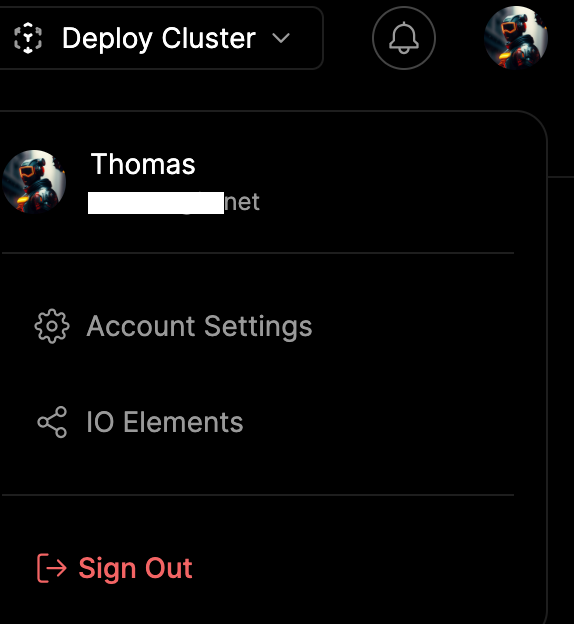 2. In the **Solana Wallet** section, click **Add Wallet**.
### Withdraw Funds from Your Account
1. Create a crypto wallet, such as [Phantom](/guides/workers/solana), or use an existing wallet.
2. In the upper-right of the screen, click USDC.
2. In the **Solana Wallet** section, click **Add Wallet**.
### Withdraw Funds from Your Account
1. Create a crypto wallet, such as [Phantom](/guides/workers/solana), or use an existing wallet.
2. In the upper-right of the screen, click USDC.
 3. On the Claim Rewards dialog, choose Custom to enter a specific amount or select the values to the right: 5, 20, 50, or 100.
4. Click the **Confirm Amount** button.
5. A dialog launches that indicates the payment is being processed, followed by a Success confirmation. You can also track the transaction on Soloscan immediately by clicking on the **See on Soloscan** link.
### Earnings and Rewards Tab
The **Earnings & Rewards** tabs enable you to view and manage your earnings for various compute jobs.
In the upper-left, select the **Earnings & Rewards** tab.
3. On the Claim Rewards dialog, choose Custom to enter a specific amount or select the values to the right: 5, 20, 50, or 100.
4. Click the **Confirm Amount** button.
5. A dialog launches that indicates the payment is being processed, followed by a Success confirmation. You can also track the transaction on Soloscan immediately by clicking on the **See on Soloscan** link.
### Earnings and Rewards Tab
The **Earnings & Rewards** tabs enable you to view and manage your earnings for various compute jobs.
In the upper-left, select the **Earnings & Rewards** tab.
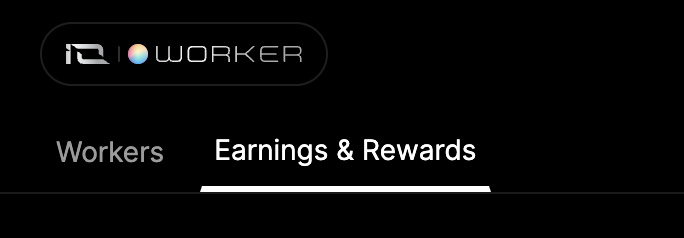 On this page, you can monitor your earnings and track data such as:
* Total Compute Hours Served
* Claimable Earnings
* Total Compute Jobs Served
* Earnings graphs by month
* Compute Jobs categorized by tasks
### Block Rewards
Block Rewards are payments made to suppliers who provide their GPUs or CPUs to the our network. This incentivizes supply-side network growth. These rewards are distributed hourly in \$IO, following a predefined emission schedule.
The Block Rewards tab in IO Explore provides a transparent view of io.net's Block Rewards and coin emissions. Users can consult this information to monitor worker nominations and their status. Users can track the performance and success rates for worker nominations and block completion. Information on coin emissions and block rewards provides transparency about io.net network’s health.
For more information, see [Block Rewards](/guides/block-rewards/block-rewards).
### Staking
At IO.net, we're committed to building a robust, secure, and decentralized platform for GPU and CPU supply and demand sides. Our staking program is designed to align incentives, ensure network integrity, and reward active participants in our ecosystem.
Staking is a crucial component of our network security and efficiency. Requiring suppliers to stake \$IO allows us to:
* Encourage long-term commitment to our platform.
* Create an incentive for good behavior.
* Establish a mechanism to discourage and penalize malicious actions.
To learn more about Staking, see [IO Staking](/guides/staking/io-staking).
On this page, you can monitor your earnings and track data such as:
* Total Compute Hours Served
* Claimable Earnings
* Total Compute Jobs Served
* Earnings graphs by month
* Compute Jobs categorized by tasks
### Block Rewards
Block Rewards are payments made to suppliers who provide their GPUs or CPUs to the our network. This incentivizes supply-side network growth. These rewards are distributed hourly in \$IO, following a predefined emission schedule.
The Block Rewards tab in IO Explore provides a transparent view of io.net's Block Rewards and coin emissions. Users can consult this information to monitor worker nominations and their status. Users can track the performance and success rates for worker nominations and block completion. Information on coin emissions and block rewards provides transparency about io.net network’s health.
For more information, see [Block Rewards](/guides/block-rewards/block-rewards).
### Staking
At IO.net, we're committed to building a robust, secure, and decentralized platform for GPU and CPU supply and demand sides. Our staking program is designed to align incentives, ensure network integrity, and reward active participants in our ecosystem.
Staking is a crucial component of our network security and efficiency. Requiring suppliers to stake \$IO allows us to:
* Encourage long-term commitment to our platform.
* Create an incentive for good behavior.
* Establish a mechanism to discourage and penalize malicious actions.
To learn more about Staking, see [IO Staking](/guides/staking/io-staking).