> ## Documentation Index
> Fetch the complete documentation index at: https://io.net/docs/llms.txt
> Use this file to discover all available pages before exploring further.
# MacOS: Troubleshoot Worker
> Here we've compiled essential use cases for working with Workers.
### Bad CPU Type in Executable Error
If you come across an error message like "**bad CPU type in executable**," it's likely because you are trying to run software intended for an Intel processor on an Apple Silicon device. To resolve this issue, you'll need to install Rosetta 2, which enables support for Intel processors to operate within Docker on Apple Silicon devices.
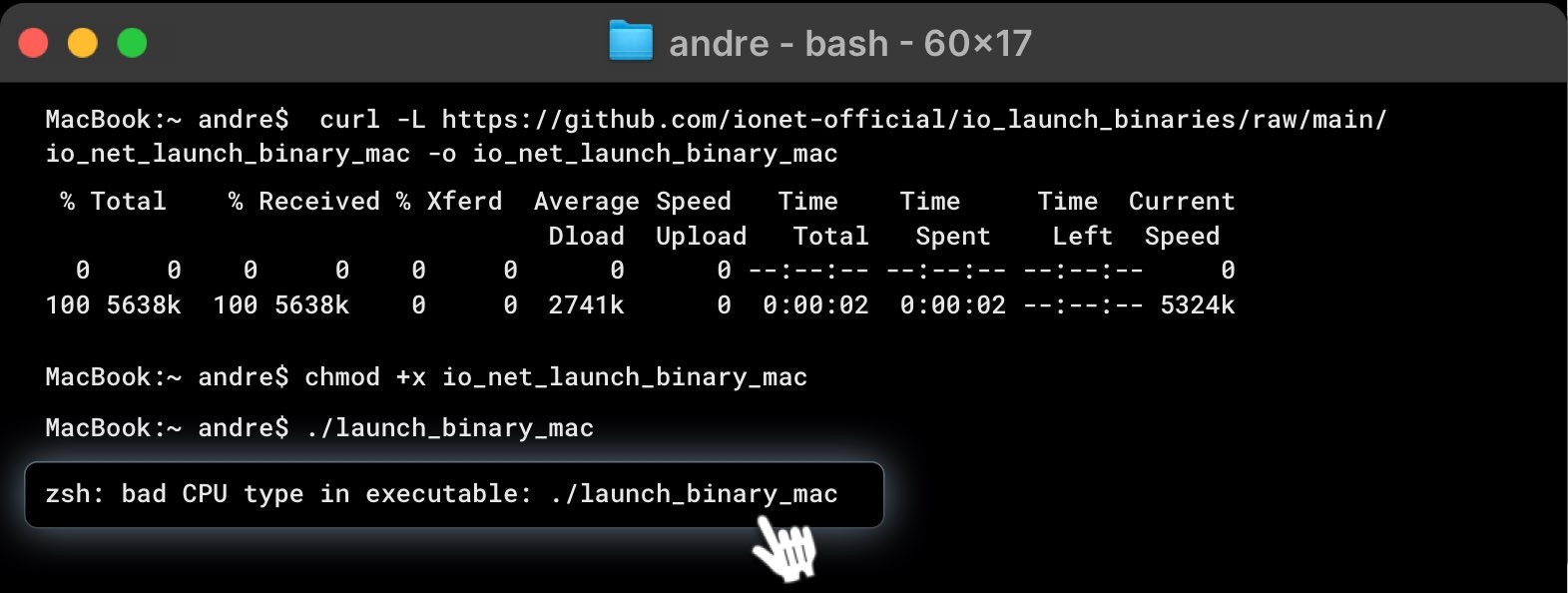 To check if Rosetta is installed and active, enter the following command in the Terminal and press Enter:
```
/usr/sbin/sysctl sysctl.proc_translated
```
If the output is **sysctl.proc\_translated: 1**, Rosetta is installed and active on your system. If the output is either **sysctl.proc\_translated: 0** or there is **no output**, Rosetta is not installed or not active.
If Rosetta 2 is not installed, use this command to install it:
```
softwareupdate --install-rosetta --agree-to-license
```
Once Rosetta 2 installation is complete, rerun the execution command:
```
./io_net_launch_binary_mac
```
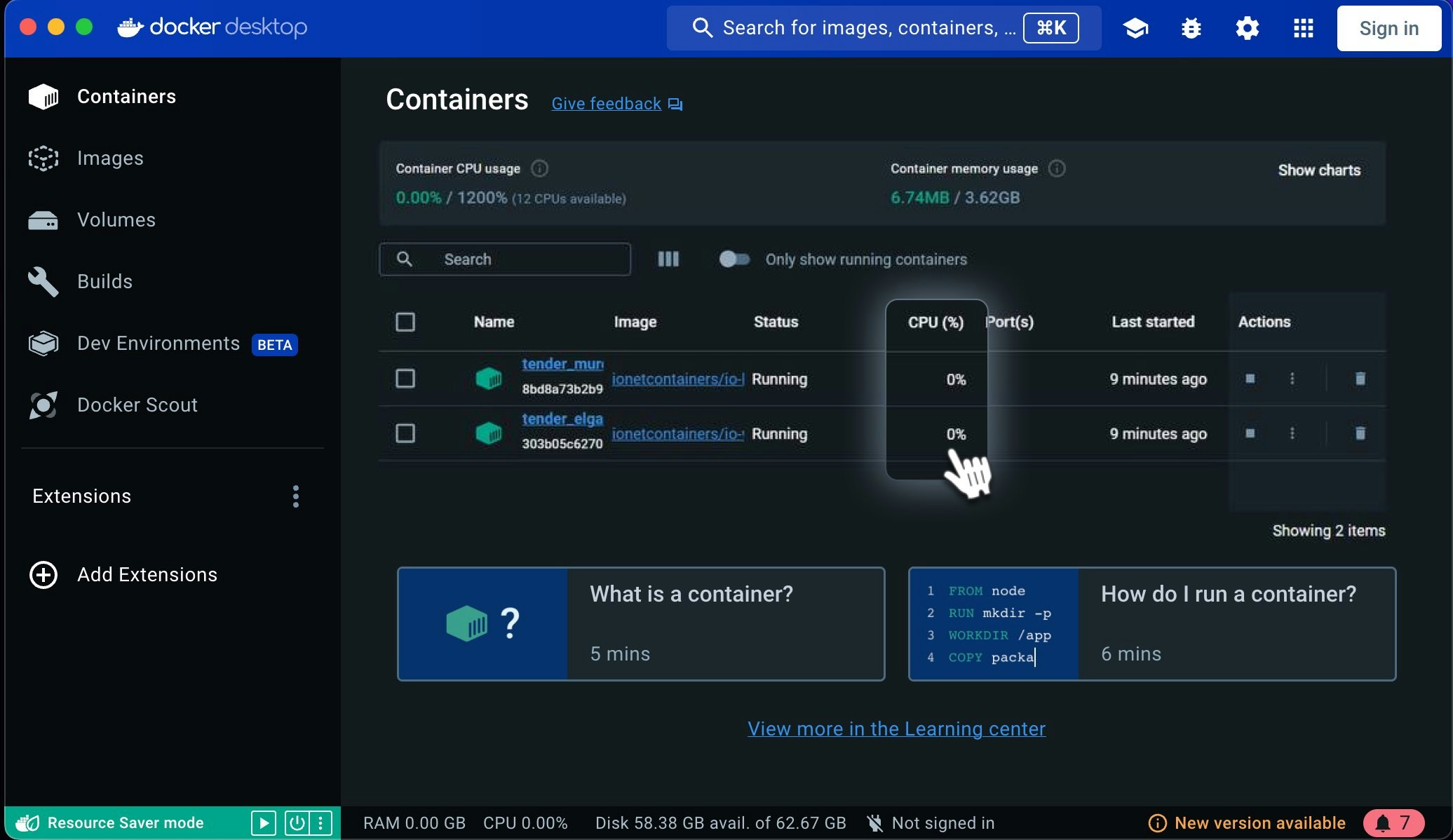
### Common Issue: Container CPU Dropping to 0
A common issue that many users encounter is the CPU of the container dropping to 0.
This problem is often due to missing necessary software components. You need to install[Rosetta](/guides/workers/install-on-macos#7-download-and-launch-io-binary). Detailed instructions on how to install these software components can be found in this section above.
If you still encounter this issue after installing all the necessary software components, try deleting the containers and images, then **re-run** the worker command and wait. You may need to repeat this process 3 or 4 times until they function normally. If the issue persists after these steps, it may indicate a system-level error.
To check if Rosetta is installed and active, enter the following command in the Terminal and press Enter:
```
/usr/sbin/sysctl sysctl.proc_translated
```
If the output is **sysctl.proc\_translated: 1**, Rosetta is installed and active on your system. If the output is either **sysctl.proc\_translated: 0** or there is **no output**, Rosetta is not installed or not active.
If Rosetta 2 is not installed, use this command to install it:
```
softwareupdate --install-rosetta --agree-to-license
```
Once Rosetta 2 installation is complete, rerun the execution command:
```
./io_net_launch_binary_mac
```
### Common Issue: Container CPU Dropping to 0
A common issue that many users encounter is the CPU of the container dropping to 0.
This problem is often due to missing necessary software components. You need to install[Rosetta](/guides/workers/install-on-macos#7-download-and-launch-io-binary). Detailed instructions on how to install these software components can be found in this section above.
If you still encounter this issue after installing all the necessary software components, try deleting the containers and images, then **re-run** the worker command and wait. You may need to repeat this process 3 or 4 times until they function normally. If the issue persists after these steps, it may indicate a system-level error.
 For general questions about the Worker, no matter the operating system, check [here](/guides/workers/troubleshoot-worker-general)
Feel free to [check our knowledge base](https://support.io.net/en/support/home) for answers, and if you still need help, don’t hesitate to open a support ticket!
For general questions about the Worker, no matter the operating system, check [here](/guides/workers/troubleshoot-worker-general)
Feel free to [check our knowledge base](https://support.io.net/en/support/home) for answers, and if you still need help, don’t hesitate to open a support ticket!