> ## Documentation Index
> Fetch the complete documentation index at: https://io.net/docs/llms.txt
> Use this file to discover all available pages before exploring further.
# Worker Disconnects When Containers Are Running
> If your Worker disconnects even when the containers are up, try the following checks:
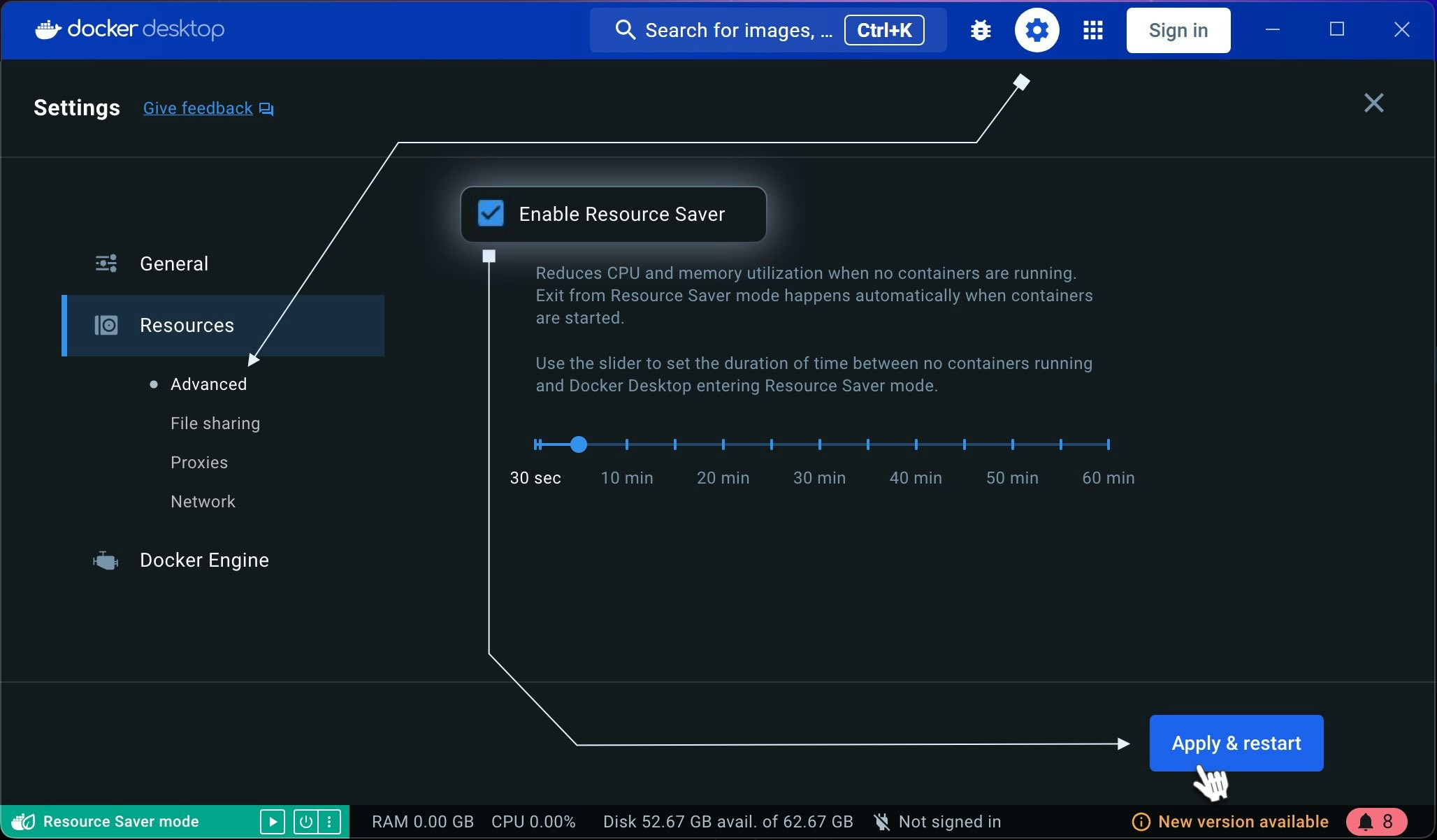
1. Ensure resources aren't limited. Make sure Docker's "**Resource Saver**" feature is **disabled** in the **Resources tab** of **Docker Settings**.
 2. Check Docker Resource Allocation. Ensure Docker is allocated the minimum required **CPU**, **RAM**, and **disk space**. System requirements are as follows:
* **Memory**: At least 512MB of free RAM (2GB is recommended)
* **Disk**: Adequate storage to run the Docker containers you intend to use
* **CPU/GPU**: You can check the currently supported [CPUs/GPUs](/guides/workers/supported-devices).
3. Verify Power Supply to GPU(s). Ensure the GPU(s) are receiving adequate power for stable operation.
2. Check Docker Resource Allocation. Ensure Docker is allocated the minimum required **CPU**, **RAM**, and **disk space**. System requirements are as follows:
* **Memory**: At least 512MB of free RAM (2GB is recommended)
* **Disk**: Adequate storage to run the Docker containers you intend to use
* **CPU/GPU**: You can check the currently supported [CPUs/GPUs](/guides/workers/supported-devices).
3. Verify Power Supply to GPU(s). Ensure the GPU(s) are receiving adequate power for stable operation.