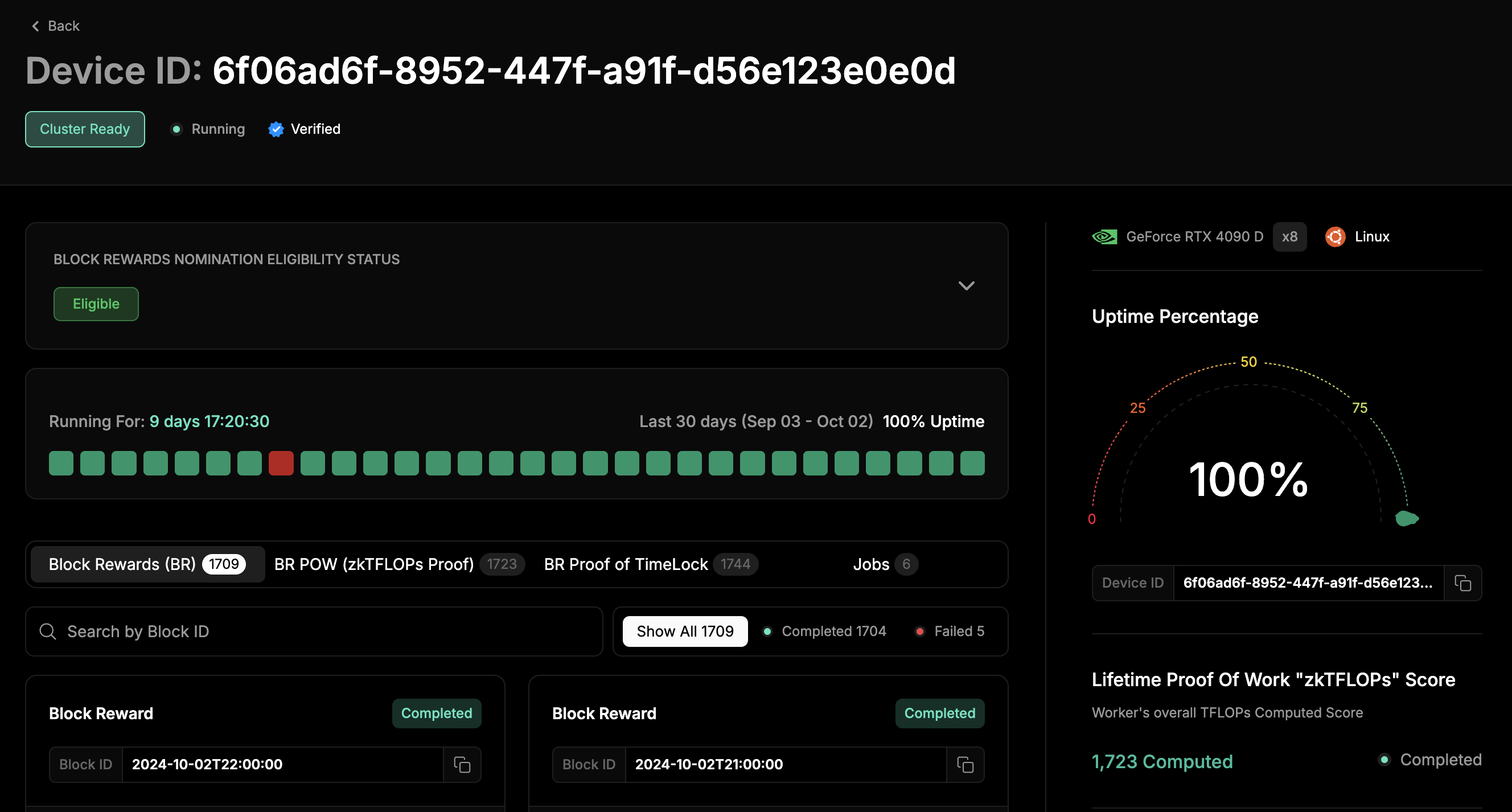
Manage Clusters offers a comprehensive interface for configuring and monitoring GPU and CPU clusters, enabling users to optimize resource allocation and performance. With advanced management tools, users can efficiently deploy workloads, scale resources, and gain real-time insights into cluster health and utilization.
To access the dashboard, log into io.net and select Manager Clusters.
To see all the details about your cluster, click on it in the Cluster tab. The screenshot below highlights what you can expect to see in a hired, active cluster.
A completed cluster provides the option to archive the cluster. Click Archive in the bottom right to archive this cluster.Run Jobs and Monitor Your ClusterReady to start working on your cluster? You can run your jobs using either Visual Studio or Jupyter Notebook. The Ray Dashboard lets you manage and monitor everything, including your cluster and running jobs.On your cluster’s details page, grab the IDE Password, and then click on Jupyter Notebook, Visual Studio, or the Ray Dashboard to get started
To access your application, enter the IDE Password.
Once your cluster’s time expires, you’ll lose access to the IDEs and the Ray Dashboard.
Allows you to filter the view by selecting different groups of workers. This option is currently set to show all workers in the cluster.
[#] Workers
Indicates that the dashboard currently shows four workers in the cluster that are active or relevant to the task being monitored. The panel below labels these workers as “IO Worker 1,” “IO Worker 2,” and so on.
[#] GPUs
Shows that there are 4 GPUs (Graphics Processing Units) in use across the cluster. Each worker seems to have one GPU assigned to it, as indicated by the details in each worker’s panel.
Search
The search bar allows you to quickly find specific workers, GPUs, or tasks by searching based on keywords, worker names, device IDs, or other identifiers.
IO Cloud uses a network of computers (called “IO workers”) to create powerful GPU clusters. This means you’re not relying on a single company for your computing power.
Self-healing
If one part of the cluster has issues, the others automatically take over, keeping your projects running smoothly.
Easy to Use
You can easily run your AI projects using Python code, just like on any other cloud platform.
Built on Industry-leading Technology
IO Cloud is powered by the same technology used by OpenAI to train its powerful AI models, such as GPT-3 and GPT-4.
Indicates the worker’s status, such as Completed, Running, Pending, or Failed. A green dot signifies successful completion.
Device ID
The unique identifier for the specific GPU device in the worker node.
GPU Information
GeForce RTX 3060 Ti (GPU type): Each worker is equipped with an NVIDIA GeForce RTX 3060 Ti GPU. x1: Number of GPUs utilized (in this case, one unit). Uptime in Cluster: Displays uptime, showing that the worker has been fully operational without downtime for the monitored period.
Activity Consistency Status Bar
A visual representation of the worker’s uptime, consisting of 10 white squares filled in to indicate 100% uptime.
Was this page helpful?
{"docsConfig":{"theme":"mint","$schema":"https://mintlify.com/docs.json","name":"io.net","colors":{"primary":"#6b6b6b","light":"#6b6b6b","dark":"#6b6b6b"},"logo":{"light":"https://mintcdn.com/ionet-cca8037f/b19dlbPlCUid06dF/logo/light.svg?fit=max\u0026auto=format\u0026n=b19dlbPlCUid06dF\u0026q=85\u0026s=debc44eff771f4f2f76b8b8a86faf828","dark":"https://mintcdn.com/ionet-cca8037f/b19dlbPlCUid06dF/logo/dark.svg?fit=max\u0026auto=format\u0026n=b19dlbPlCUid06dF\u0026q=85\u0026s=ea1ddf5bcdb6dab50a40fe0c7b30589f"},"favicon":"https://mintcdn.com/ionet-cca8037f/UVfyCRC1Po30yGvw/logo-small-favicon.png?fit=max\u0026auto=format\u0026n=UVfyCRC1Po30yGvw\u0026q=85\u0026s=7f6d17a7f949fb2e0ddaf85f9da85629","appearance":{"default":"light","strict":true},"fonts":{"heading":{"family":"Geist","source":"https://cdn.jsdelivr.net/fontsource/fonts/geist@latest/latin-400-normal.woff2","format":"woff2"},"body":{"family":"Geist","source":"https://cdn.jsdelivr.net/fontsource/fonts/geist@latest/latin-400-normal.woff2","format":"woff2"}},"styling":{"latex":false},"navigation":{"pages":[]}},"deployment":{"deploymentMetadataValue":{"subdomain":"ionet-cca8037f","hasAudioNarration":false,"actualSubdomain":"ionet-cca8037f","customDomains":["io.net"],"gitSource":{"type":"github","owner":"ionet-official","repo":"docs","deployBranch":"main","contentDirectory":"","isPrivate":true,"mountPath":"","label":""},"chroma":{"liveDeploymentHistoryId":"6ad72d57f1eac1c6bf422748","collectionId":"003ceac0-2f39-4819-b21a-d6f49439c597","schemaVersion":"v3","latestBuiltDeploymentHistoryId":"6ad72d57f1eac1c6bf422748"},"feedback":{"thumbs":true},"entitlements":{"AI_CHAT":{"status":"ENABLED"},"WEB_MCP":{"status":"ENABLED"},"NARRATION":{"status":"ENABLED"}},"buildId":"6ad72d57f1eac1c6bf422748","clientVersion":"0.0.3966","searchFilterCounts":[{"language":"default","tag":"Community","count":60},{"language":"default","tag":"API References","count":50},{"language":"default","tag":"IO Worker","count":35},{"language":"default","tag":"IO Cloud","count":25},{"language":"default","tag":"Cloud","count":23},{"language":"default","tag":"IO Intelligence","count":20},{"language":"default","tag":"Core Concepts","count":18},{"language":"default","tag":"Intelligence","count":16},{"language":"default","tag":"IO Explorer","count":14},{"language":"default","tag":"IO Staking","count":13}]},"assistantConfig":{},"hasChatPermissions":true,"hasWebMcpPermissions":true,"toggles":[{"name":"kill-isr","enabled":true,"variant":{"name":"disabled","enabled":false,"feature_enabled":true},"impressionData":false},{"name":"agent-mintlify-slack","enabled":true,"variant":{"name":"disabled","enabled":false,"feature_enabled":true},"impressionData":false},{"name":"editor-v7-file-tree","enabled":true,"variant":{"name":"disabled","enabled":false,"feature_enabled":true},"impressionData":false},{"name":"agent-integrations-settings","enabled":true,"variant":{"name":"disabled","enabled":false,"feature_enabled":true},"impressionData":false},{"name":"automations-pr-grouping","enabled":true,"variant":{"name":"disabled","enabled":false,"feature_enabled":true},"impressionData":false},{"name":"custom-prefix","enabled":true,"variant":{"name":"disabled","enabled":false,"feature_enabled":true},"impressionData":false},{"name":"analytics-v7","enabled":true,"variant":{"name":"disabled","enabled":false,"feature_enabled":true},"impressionData":false},{"name":"user-flows-analytics","enabled":true,"variant":{"name":"disabled","enabled":false,"feature_enabled":true},"impressionData":false},{"name":"no-publish-flow","enabled":true,"variant":{"name":"disabled","enabled":false,"feature_enabled":true},"impressionData":false},{"name":"workos-onboarding","enabled":true,"variant":{"name":"disabled","enabled":false,"feature_enabled":true},"impressionData":false},{"name":"llms-txt-v2","enabled":true,"variant":{"name":"disabled","enabled":false,"feature_enabled":true},"impressionData":false},{"name":"pause-universal-search-reconcile","enabled":true,"variant":{"name":"disabled","enabled":false,"feature_enabled":true},"impressionData":false},{"name":"snapshot-serving-live","enabled":true,"variant":{"name":"disabled","enabled":false,"feature_enabled":true},"impressionData":false},{"name":"stripTemperatureMiddleware","enabled":true,"variant":{"name":"disabled","enabled":false,"feature_enabled":true},"impressionData":false},{"name":"per-site-search-delta","enabled":true,"variant":{"name":"disabled","enabled":false,"feature_enabled":true},"impressionData":false},{"name":"support-platform-pylon-zendesk","enabled":true,"variant":{"name":"disabled","enabled":false,"feature_enabled":true},"impressionData":false},{"name":"snapshot-serving","enabled":true,"variant":{"name":"disabled","enabled":false,"feature_enabled":true},"impressionData":false},{"name":"instant-rollback","enabled":true,"variant":{"name":"disabled","enabled":false,"feature_enabled":true},"impressionData":false},{"name":"granular-notifications-server","enabled":true,"variant":{"name":"disabled","enabled":false,"feature_enabled":true},"impressionData":false},{"name":"granular-notifications","enabled":true,"variant":{"name":"disabled","enabled":false,"feature_enabled":true},"impressionData":false},{"name":"editor-private-page-search","enabled":true,"variant":{"name":"disabled","enabled":false,"feature_enabled":true},"impressionData":false},{"name":"automations-fable","enabled":true,"variant":{"name":"disabled","enabled":false,"feature_enabled":true},"impressionData":false},{"name":"fixed-ai-action-pricing","enabled":true,"variant":{"name":"disabled","enabled":false,"feature_enabled":true},"impressionData":false},{"name":"automation-resolve-merge-conflict","enabled":true,"variant":{"name":"disabled","enabled":false,"feature_enabled":true},"impressionData":false},{"name":"scoped-publishing","enabled":true,"variant":{"name":"disabled","enabled":false,"feature_enabled":true},"impressionData":false},{"name":"mintql","enabled":true,"variant":{"name":"disabled","enabled":false,"feature_enabled":true},"impressionData":false},{"name":"page-level-analytics","enabled":true,"variant":{"name":"disabled","enabled":false,"feature_enabled":true},"impressionData":false},{"name":"editor-version-history-v2","enabled":true,"variant":{"name":"disabled","enabled":false,"feature_enabled":true},"impressionData":false},{"name":"editor-nav-generations","enabled":true,"variant":{"name":"disabled","enabled":false,"feature_enabled":true},"impressionData":false},{"name":"billing-page-v2","enabled":true,"variant":{"name":"disabled","enabled":false,"feature_enabled":true},"impressionData":false},{"name":"workspace-projects","enabled":true,"variant":{"name":"disabled","enabled":false,"feature_enabled":true},"impressionData":false},{"name":"assistant-v5","enabled":true,"variant":{"name":"disabled","enabled":false,"feature_enabled":true},"impressionData":false},{"name":"byok-sep-25","enabled":true,"variant":{"name":"disabled","enabled":false,"feature_enabled":true},"impressionData":false},{"name":"fork-pr-previews","enabled":true,"variant":{"name":"disabled","enabled":false,"feature_enabled":true},"impressionData":false},{"name":"revalidation-jwt","enabled":true,"variant":{"name":"disabled","enabled":false,"feature_enabled":true},"impressionData":false},{"name":"vite-origin","enabled":true,"variant":{"name":"disabled","enabled":false,"feature_enabled":true},"impressionData":false},{"name":"editor-agent-model-picker","enabled":true,"variant":{"name":"disabled","enabled":false,"feature_enabled":true},"impressionData":false},{"name":"billing-updated-9-15","enabled":true,"variant":{"name":"disabled","enabled":false,"feature_enabled":true},"impressionData":false},{"name":"hobby-abuse-scan","enabled":true,"variant":{"name":"disabled","enabled":false,"feature_enabled":true},"impressionData":false},{"name":"dashboard-inbox","enabled":true,"variant":{"name":"disabled","enabled":false,"feature_enabled":true},"impressionData":false}],"isAtlas":false,"googleFontsInlined":false},"customCss":[{"filePath":"styles.css","content":"@font-face{font-family:\"Geist\";font-style:normal;font-weight:400;font-display:swap;src:url(https://cdn.jsdelivr.net/fontsource/fonts/geist@latest/latin-400-normal.woff2) format(\"woff2\")}:root{--gray-700:10, 10, 10;--primary:10, 10, 10}#content-area,#content-container,#sidebar,body{font-family:\"Geist\",ui-sans-serif,system-ui,sans-serif}#search-bar-entry{border-radius:9999px!important}@media (min-width:1024px){:has(>#content-container){background:#f9f9f9}}#content-area{position:relative}#content-area::before{content:\"\";display:none}@media (min-width:1024px){#content-area::before{display:block;position:absolute;top:-2.5rem;left:-2.5rem;width:calc(100% + 5rem);height:calc(100% + 2.5rem);background:#fff}}#sidebar{background:#f9f9f9}.nav-logo{height:20px}#table-of-contents-content,#table-of-contents-layout{display:block!important;min-width:12rem}.toc-track-wrapper{position:relative;padding-left:0}.toc{padding-left:.75rem}.toc-thumb,.toc-track{position:absolute;left:0;width:1px;border-radius:1px;pointer-events:none}.toc-track{top:0;bottom:0;background:#f5f5f5}.toc-thumb{background:#0a0a0a;transition:top .2s ease-out,height .2s ease-out}"}],"page":{"pagePath":"guides/clouds/monitor-manage-clusters","slug":"/guides/clouds/monitor-manage-clusters","pageMetadata":{"title":"Monitor \u0026 Manage Clusters","description":"Manage Clusters offers a comprehensive interface for configuring and monitoring GPU and CPU clusters, enabling users to optimize resource allocation and performance. With advanced management tools, users can efficiently deploy workloads, scale resources, and gain real-time insights into cluster health and utilization.","href":"/guides/clouds/monitor-manage-clusters"},"description":{"compiledSource":"\"use strict\";\nconst {jsx: _jsx} = arguments[0];\nconst {useMDXComponents: _provideComponents} = arguments[0];\nfunction _createMdxContent(props) {\n const _components = {\n p: \"p\",\n ..._provideComponents(),\n ...props.components\n };\n return _jsx(_components.p, {\n children: \"Manage Clusters offers a comprehensive interface for configuring and monitoring GPU and CPU clusters, enabling users to optimize resource allocation and performance. With advanced management tools, users can efficiently deploy workloads, scale resources, and gain real-time insights into cluster health and utilization.\"\n });\n}\nfunction MDXContent(props = {}) {\n const {wrapper: MDXLayout} = {\n ..._provideComponents(),\n ...props.components\n };\n return MDXLayout ? _jsx(MDXLayout, {\n ...props,\n children: _jsx(_createMdxContent, {\n ...props\n })\n }) : _createMdxContent(props);\n}\nreturn {\n default: MDXContent\n};\n","frontmatter":{},"scope":{}},"pageType":"default","mdx":{"mdxSource":{"compiledSource":"\"use strict\";const{Fragment:_Fragment,jsx:_jsx,jsxs:_jsxs}=arguments[0];const{useMDXComponents:_provideComponents}=arguments[0];function _createMdxContent(props){const _components={a:`a`,blockquote:`blockquote`,p:`p`,strong:`strong`,tbody:`tbody`,td:`td`,th:`th`,thead:`thead`,tr:`tr`,..._provideComponents(),...props.components},{Frame,Heading,OptimizedImage,Table,Warning}=_components;if(!Frame)_missingMdxReference(`Frame`,true);if(!Heading)_missingMdxReference(`Heading`,true);if(!OptimizedImage)_missingMdxReference(`OptimizedImage`,true);if(!Table)_missingMdxReference(`Table`,true);if(!Warning)_missingMdxReference(`Warning`,true);return _jsxs(_Fragment,{children:[_jsxs(_components.p,{children:[`To access the dashboard, log into `,_jsx(_components.a,{href:`http://io.net`,children:`io.net`}),` and select `,_jsx(_components.strong,{children:`Manager Clusters`}),`.`]}),`\n`,_jsx(Heading,{level:`2`,id:`view-your-cluster`,children:`View Your Cluster`}),`\n`,_jsxs(_components.p,{children:[`To see all the details about your cluster, click on it in the `,_jsx(_components.strong,{children:`Cluster`}),` tab. The screenshot below highlights what you can expect to see in a hired, active cluster.`]}),`\n`,_jsx(Frame,{children:_jsx(OptimizedImage,{src:`https://mintcdn.com/ionet-cca8037f/-ylztZG_lN4iZVZo/images/docs/2203d3f-image.png?fit=max\u0026auto=format\u0026n=-ylztZG_lN4iZVZo\u0026q=85\u0026s=707cf7d6e5b760888abd82a0a6810ec9`,alt:``,\"data-og-width\":`2604`,width:`2604`,\"data-og-height\":`2498`,height:`2498`,\"data-path\":`images/docs/2203d3f-image.png`,\"data-optimize\":`true`,\"data-opv\":`3`,srcset:`https://mintcdn.com/ionet-cca8037f/-ylztZG_lN4iZVZo/images/docs/2203d3f-image.png?w=280\u0026fit=max\u0026auto=format\u0026n=-ylztZG_lN4iZVZo\u0026q=85\u0026s=5122023b2b9b5dce7bb19ce7395e1400 280w, https://mintcdn.com/ionet-cca8037f/-ylztZG_lN4iZVZo/images/docs/2203d3f-image.png?w=560\u0026fit=max\u0026auto=format\u0026n=-ylztZG_lN4iZVZo\u0026q=85\u0026s=5b1bf02f7bdbe2aa63c724f13a4a038a 560w, https://mintcdn.com/ionet-cca8037f/-ylztZG_lN4iZVZo/images/docs/2203d3f-image.png?w=840\u0026fit=max\u0026auto=format\u0026n=-ylztZG_lN4iZVZo\u0026q=85\u0026s=3622c485a690c4c75072cbcc365f4171 840w, https://mintcdn.com/ionet-cca8037f/-ylztZG_lN4iZVZo/images/docs/2203d3f-image.png?w=1100\u0026fit=max\u0026auto=format\u0026n=-ylztZG_lN4iZVZo\u0026q=85\u0026s=0e548048cf6c623ef1870cb2de15a91b 1100w, https://mintcdn.com/ionet-cca8037f/-ylztZG_lN4iZVZo/images/docs/2203d3f-image.png?w=1650\u0026fit=max\u0026auto=format\u0026n=-ylztZG_lN4iZVZo\u0026q=85\u0026s=e75aa50bf0d324f6622d2c477c52afbb 1650w, https://mintcdn.com/ionet-cca8037f/-ylztZG_lN4iZVZo/images/docs/2203d3f-image.png?w=2500\u0026fit=max\u0026auto=format\u0026n=-ylztZG_lN4iZVZo\u0026q=85\u0026s=57f0da0f4f2d77fc7c53308eacdfd538 2500w`})}),`\n`,_jsx(Heading,{level:`4`,id:`clusters-tab`,children:`Clusters Tab`}),`\n`,_jsxs(_components.p,{children:[`The `,_jsx(_components.strong,{children:`Clusters`}),` tab provides a quick overview of all your clusters, both active and inactive.`]}),`\n`,_jsx(Heading,{level:`4`,id:`sort-clusters`,children:`Sort Clusters`}),`\n`,_jsxs(_components.p,{children:[`Use the sorting options to find the cluster you’re looking for easily. Sort by status (`,_jsx(_components.strong,{children:`Running, Completed, Failed, Destroyed`}),`) or search by keyword.`]}),`\n`,_jsx(OptimizedImage,{src:`https://mintcdn.com/ionet-cca8037f/meb7fXkOa2OuLeS2/images/docs/monitor_manage_clusters/monitor2.png?fit=max\u0026auto=format\u0026n=meb7fXkOa2OuLeS2\u0026q=85\u0026s=4d513c39fc8c42e1efb12900eaa6f944`,alt:`Monitor2 Pn`,title:`Monitor2 Pn`,className:`mint-mx-auto`,style:{width:`67%`},\"data-og-width\":`1759`,width:`1759`,\"data-og-height\":`143`,height:`143`,\"data-path\":`images/docs/monitor_manage_clusters/monitor2.png`,\"data-optimize\":`true`,\"data-opv\":`3`,srcset:`https://mintcdn.com/ionet-cca8037f/meb7fXkOa2OuLeS2/images/docs/monitor_manage_clusters/monitor2.png?w=280\u0026fit=max\u0026auto=format\u0026n=meb7fXkOa2OuLeS2\u0026q=85\u0026s=62e6ed599667150eae3e9f314a636f95 280w, https://mintcdn.com/ionet-cca8037f/meb7fXkOa2OuLeS2/images/docs/monitor_manage_clusters/monitor2.png?w=560\u0026fit=max\u0026auto=format\u0026n=meb7fXkOa2OuLeS2\u0026q=85\u0026s=39963152317c902d0e35042e544fac0f 560w, https://mintcdn.com/ionet-cca8037f/meb7fXkOa2OuLeS2/images/docs/monitor_manage_clusters/monitor2.png?w=840\u0026fit=max\u0026auto=format\u0026n=meb7fXkOa2OuLeS2\u0026q=85\u0026s=3cdc587e97f063ee238b2649f3dd2522 840w, https://mintcdn.com/ionet-cca8037f/meb7fXkOa2OuLeS2/images/docs/monitor_manage_clusters/monitor2.png?w=1100\u0026fit=max\u0026auto=format\u0026n=meb7fXkOa2OuLeS2\u0026q=85\u0026s=73943380722ec14ce45bb9770f55e6d4 1100w, https://mintcdn.com/ionet-cca8037f/meb7fXkOa2OuLeS2/images/docs/monitor_manage_clusters/monitor2.png?w=1650\u0026fit=max\u0026auto=format\u0026n=meb7fXkOa2OuLeS2\u0026q=85\u0026s=60afed3af530f30b430a40df88327ee3 1650w, https://mintcdn.com/ionet-cca8037f/meb7fXkOa2OuLeS2/images/docs/monitor_manage_clusters/monitor2.png?w=2500\u0026fit=max\u0026auto=format\u0026n=meb7fXkOa2OuLeS2\u0026q=85\u0026s=7596589082cc104e918744d148d242c3 2500w`}),`\n`,_jsx(Heading,{level:`2`,id:`cluster-management-actions`,children:`Cluster Management Actions`}),`\n`,_jsx(_components.p,{children:`These actions can be done if a cluster is currently running.`}),`\n`,_jsx(Heading,{level:`4`,id:`terminate-cluster`,children:`Terminate Cluster`}),`\n`,_jsxs(_components.p,{children:[`Click `,_jsx(_components.strong,{children:`Terminate Cluster`}),` in the bottom right to end your session.`]}),`\n`,_jsx(OptimizedImage,{src:`https://mintcdn.com/ionet-cca8037f/meb7fXkOa2OuLeS2/images/docs/monitor_manage_clusters/monitor3.png?fit=max\u0026auto=format\u0026n=meb7fXkOa2OuLeS2\u0026q=85\u0026s=6862134cbe82625beca9549309822a11`,alt:`Monitor3 Pn`,title:`Monitor3 Pn`,className:`mint-mx-auto`,style:{width:`65%`},\"data-og-width\":`1811`,width:`1811`,\"data-og-height\":`179`,height:`179`,\"data-path\":`images/docs/monitor_manage_clusters/monitor3.png`,\"data-optimize\":`true`,\"data-opv\":`3`,srcset:`https://mintcdn.com/ionet-cca8037f/meb7fXkOa2OuLeS2/images/docs/monitor_manage_clusters/monitor3.png?w=280\u0026fit=max\u0026auto=format\u0026n=meb7fXkOa2OuLeS2\u0026q=85\u0026s=9f805b2bed12d7a5716e7e66d0294948 280w, https://mintcdn.com/ionet-cca8037f/meb7fXkOa2OuLeS2/images/docs/monitor_manage_clusters/monitor3.png?w=560\u0026fit=max\u0026auto=format\u0026n=meb7fXkOa2OuLeS2\u0026q=85\u0026s=53855d289d73683e16313befefa7fc0b 560w, https://mintcdn.com/ionet-cca8037f/meb7fXkOa2OuLeS2/images/docs/monitor_manage_clusters/monitor3.png?w=840\u0026fit=max\u0026auto=format\u0026n=meb7fXkOa2OuLeS2\u0026q=85\u0026s=d5a886c8158a6946c1426655872d52a3 840w, https://mintcdn.com/ionet-cca8037f/meb7fXkOa2OuLeS2/images/docs/monitor_manage_clusters/monitor3.png?w=1100\u0026fit=max\u0026auto=format\u0026n=meb7fXkOa2OuLeS2\u0026q=85\u0026s=31cd30575a445465021b6417240e0a46 1100w, https://mintcdn.com/ionet-cca8037f/meb7fXkOa2OuLeS2/images/docs/monitor_manage_clusters/monitor3.png?w=1650\u0026fit=max\u0026auto=format\u0026n=meb7fXkOa2OuLeS2\u0026q=85\u0026s=0da9872dafd1d90d8bbbf1b6e40d1547 1650w, https://mintcdn.com/ionet-cca8037f/meb7fXkOa2OuLeS2/images/docs/monitor_manage_clusters/monitor3.png?w=2500\u0026fit=max\u0026auto=format\u0026n=meb7fXkOa2OuLeS2\u0026q=85\u0026s=2b0ad8a8edf95e590338a3a1b071dbee 2500w`}),`\n`,_jsx(Heading,{level:`4`,id:`extend-cluster`,children:`Extend Cluster`}),`\n`,_jsxs(_components.p,{children:[`To keep your cluster active for longer, simply click `,_jsx(_components.strong,{children:`Extend Cluster`}),`. You’ll be charged the same amount as your original transaction.`]}),`\n`,_jsx(OptimizedImage,{src:`https://mintcdn.com/ionet-cca8037f/meb7fXkOa2OuLeS2/images/docs/monitor_manage_clusters/monitor4.png?fit=max\u0026auto=format\u0026n=meb7fXkOa2OuLeS2\u0026q=85\u0026s=c5fc188c89f25994bf0afc780f0abc8d`,alt:`Monitor4 Pn`,title:`Monitor4 Pn`,className:`mint-mx-auto`,style:{width:`52%`},\"data-og-width\":`1822`,width:`1822`,\"data-og-height\":`590`,height:`590`,\"data-path\":`images/docs/monitor_manage_clusters/monitor4.png`,\"data-optimize\":`true`,\"data-opv\":`3`,srcset:`https://mintcdn.com/ionet-cca8037f/meb7fXkOa2OuLeS2/images/docs/monitor_manage_clusters/monitor4.png?w=280\u0026fit=max\u0026auto=format\u0026n=meb7fXkOa2OuLeS2\u0026q=85\u0026s=8cc89106206898d139b6978dc098d29f 280w, https://mintcdn.com/ionet-cca8037f/meb7fXkOa2OuLeS2/images/docs/monitor_manage_clusters/monitor4.png?w=560\u0026fit=max\u0026auto=format\u0026n=meb7fXkOa2OuLeS2\u0026q=85\u0026s=738ed8736360add323ddf1f0d2105206 560w, https://mintcdn.com/ionet-cca8037f/meb7fXkOa2OuLeS2/images/docs/monitor_manage_clusters/monitor4.png?w=840\u0026fit=max\u0026auto=format\u0026n=meb7fXkOa2OuLeS2\u0026q=85\u0026s=58ec465f5185590cab65e7eb582eaf3b 840w, https://mintcdn.com/ionet-cca8037f/meb7fXkOa2OuLeS2/images/docs/monitor_manage_clusters/monitor4.png?w=1100\u0026fit=max\u0026auto=format\u0026n=meb7fXkOa2OuLeS2\u0026q=85\u0026s=aad4e070fd0cf321e05bdb7a5afb6a7a 1100w, https://mintcdn.com/ionet-cca8037f/meb7fXkOa2OuLeS2/images/docs/monitor_manage_clusters/monitor4.png?w=1650\u0026fit=max\u0026auto=format\u0026n=meb7fXkOa2OuLeS2\u0026q=85\u0026s=44a97d56678c4926ef39438a37b1af4e 1650w, https://mintcdn.com/ionet-cca8037f/meb7fXkOa2OuLeS2/images/docs/monitor_manage_clusters/monitor4.png?w=2500\u0026fit=max\u0026auto=format\u0026n=meb7fXkOa2OuLeS2\u0026q=85\u0026s=19ddde66cd29d64916177cd9f2d79c06 2500w`}),`\n`,_jsx(Heading,{level:`2`,id:`actions`,children:`Actions`}),`\n`,_jsxs(_components.p,{children:[`A completed cluster provides the option to archive the cluster. Click `,_jsx(_components.strong,{children:`Archive`}),` in the bottom right to archive this cluster.`]}),`\n`,_jsx(_components.p,{children:_jsx(_components.strong,{children:`Run Jobs and Monitor Your Cluster`})}),`\n`,_jsx(_components.p,{children:`Ready to start working on your cluster? You can run your jobs using either Visual Studio or Jupyter Notebook. The Ray Dashboard lets you manage and monitor everything, including your cluster and running jobs.`}),`\n`,_jsxs(_components.p,{children:[`On your cluster’s details page, grab the `,_jsx(_components.strong,{children:`IDE Password`}),`, and then click on `,_jsx(_components.strong,{children:`Jupyter Notebook`}),`, `,_jsx(_components.strong,{children:`Visual Studio`}),`, or the `,_jsx(_components.strong,{children:`Ray Dashboard`}),` to get started`]}),`\n`,_jsx(Frame,{children:_jsx(OptimizedImage,{src:`https://mintcdn.com/ionet-cca8037f/dIsHanY7VlXGrCcR/images/docs/dbf23c5-visbutton.png?fit=max\u0026auto=format\u0026n=dIsHanY7VlXGrCcR\u0026q=85\u0026s=8c14731bd3ce73e8b7fe9c6093ba2911`,alt:``,className:`mint-mx-auto`,style:{width:`81%`},\"data-og-width\":`1294`,width:`1294`,\"data-og-height\":`254`,height:`254`,\"data-path\":`images/docs/dbf23c5-visbutton.png`,\"data-optimize\":`true`,\"data-opv\":`3`,srcset:`https://mintcdn.com/ionet-cca8037f/dIsHanY7VlXGrCcR/images/docs/dbf23c5-visbutton.png?w=280\u0026fit=max\u0026auto=format\u0026n=dIsHanY7VlXGrCcR\u0026q=85\u0026s=037e3ba12199a4f02017ef2de7ffc970 280w, https://mintcdn.com/ionet-cca8037f/dIsHanY7VlXGrCcR/images/docs/dbf23c5-visbutton.png?w=560\u0026fit=max\u0026auto=format\u0026n=dIsHanY7VlXGrCcR\u0026q=85\u0026s=f0f0c51de0e522e138272758d3b6ceeb 560w, https://mintcdn.com/ionet-cca8037f/dIsHanY7VlXGrCcR/images/docs/dbf23c5-visbutton.png?w=840\u0026fit=max\u0026auto=format\u0026n=dIsHanY7VlXGrCcR\u0026q=85\u0026s=8400afda8722dad842f9a3a016665bb3 840w, https://mintcdn.com/ionet-cca8037f/dIsHanY7VlXGrCcR/images/docs/dbf23c5-visbutton.png?w=1100\u0026fit=max\u0026auto=format\u0026n=dIsHanY7VlXGrCcR\u0026q=85\u0026s=27fee1c5b0151a58d01bcea2483ad081 1100w, https://mintcdn.com/ionet-cca8037f/dIsHanY7VlXGrCcR/images/docs/dbf23c5-visbutton.png?w=1650\u0026fit=max\u0026auto=format\u0026n=dIsHanY7VlXGrCcR\u0026q=85\u0026s=9d91c332a237ffc316ebccd5b6d11a96 1650w, https://mintcdn.com/ionet-cca8037f/dIsHanY7VlXGrCcR/images/docs/dbf23c5-visbutton.png?w=2500\u0026fit=max\u0026auto=format\u0026n=dIsHanY7VlXGrCcR\u0026q=85\u0026s=0bcfde1761afb5eb1b6cabe228e4270f 2500w`})}),`\n`,_jsxs(_components.p,{children:[`To access your application, enter the `,_jsx(_components.strong,{children:`IDE Password`}),`.`]}),`\n`,_jsx(Warning,{children:_jsx(_components.p,{children:`Once your cluster’s time expires, you’ll lose access to the IDEs and the Ray Dashboard.`})}),`\n`,_jsx(Heading,{level:`4`,id:`archive-a-cluster`,children:`Archive a Cluster`}),`\n`,_jsxs(_components.p,{children:[`Once a cluster is complete, you can archive it. Click `,_jsx(_components.strong,{children:`Archive`}),` at the bottom right to archive a cluster.`]}),`\n`,_jsxs(_components.blockquote,{children:[`\n`,_jsx(_components.p,{children:`🚧 You can’t renew a cluster after it’s completed.`}),`\n`]}),`\n`,_jsx(Heading,{level:`2`,id:`cluster-information`,children:`Cluster Information`}),`\n`,_jsxs(_components.p,{children:[`Click on a cluster in the `,_jsx(_components.strong,{children:`Cluster`}),` tab to view the details associated with the cluster. In the screenshot below, a completed cluster has been selected.`]}),`\n`,_jsx(Frame,{children:_jsx(OptimizedImage,{src:`https://mintcdn.com/ionet-cca8037f/9uES21HxjDw9p-Ee/images/docs/91fdfca-expire.png?fit=max\u0026auto=format\u0026n=9uES21HxjDw9p-Ee\u0026q=85\u0026s=3de80a97fe0a73e89d4ef43f93a1a41c`,alt:``,\"data-og-width\":`2528`,width:`2528`,\"data-og-height\":`2290`,height:`2290`,\"data-path\":`images/docs/91fdfca-expire.png`,\"data-optimize\":`true`,\"data-opv\":`3`,srcset:`https://mintcdn.com/ionet-cca8037f/9uES21HxjDw9p-Ee/images/docs/91fdfca-expire.png?w=280\u0026fit=max\u0026auto=format\u0026n=9uES21HxjDw9p-Ee\u0026q=85\u0026s=6b277e5fb4a6414e9f580583c1bf6549 280w, https://mintcdn.com/ionet-cca8037f/9uES21HxjDw9p-Ee/images/docs/91fdfca-expire.png?w=560\u0026fit=max\u0026auto=format\u0026n=9uES21HxjDw9p-Ee\u0026q=85\u0026s=afc2d1cd39d261c3fa2971f30bc24126 560w, https://mintcdn.com/ionet-cca8037f/9uES21HxjDw9p-Ee/images/docs/91fdfca-expire.png?w=840\u0026fit=max\u0026auto=format\u0026n=9uES21HxjDw9p-Ee\u0026q=85\u0026s=a01b2187d0fde8f8333154d2af7638e2 840w, https://mintcdn.com/ionet-cca8037f/9uES21HxjDw9p-Ee/images/docs/91fdfca-expire.png?w=1100\u0026fit=max\u0026auto=format\u0026n=9uES21HxjDw9p-Ee\u0026q=85\u0026s=e6ca15d1ccd9f44f4ba49ef9351f9700 1100w, https://mintcdn.com/ionet-cca8037f/9uES21HxjDw9p-Ee/images/docs/91fdfca-expire.png?w=1650\u0026fit=max\u0026auto=format\u0026n=9uES21HxjDw9p-Ee\u0026q=85\u0026s=3fdcb9f5f6d20f2eb238996cc7debf0c 1650w, https://mintcdn.com/ionet-cca8037f/9uES21HxjDw9p-Ee/images/docs/91fdfca-expire.png?w=2500\u0026fit=max\u0026auto=format\u0026n=9uES21HxjDw9p-Ee\u0026q=85\u0026s=f493c6d4a12ffe8522963b507bcc840f 2500w`})}),`\n`,_jsx(Heading,{level:`2`,id:`monitor-the-following-on-the-right`,children:`Monitor the following on the right:`}),`\n`,_jsxs(Table,{children:[_jsx(_components.thead,{children:_jsxs(_components.tr,{children:[_jsx(_components.th,{children:`Action`}),_jsx(_components.th,{children:`Description`})]})}),_jsxs(_components.tbody,{children:[_jsxs(_components.tr,{children:[_jsx(_components.td,{children:_jsx(_components.strong,{children:`Compute Hours`})}),_jsx(_components.td,{children:`Shows how long a single instance has been running and consuming resources. Includes “Served” and “Remaining” times.`})]}),_jsxs(_components.tr,{children:[_jsx(_components.td,{children:_jsx(_components.strong,{children:`Funds Used or Refunded`})}),_jsx(_components.td,{children:`The amount you’ve spent or had refunded for cluster operations.`})]}),_jsxs(_components.tr,{children:[_jsx(_components.td,{children:_jsx(_components.strong,{children:`Connectivity Tier`})}),_jsx(_components.td,{children:`Your chosen level of connectivity for the cluster (download / upload speeds).`})]}),_jsxs(_components.tr,{children:[_jsx(_components.td,{children:_jsx(_components.strong,{children:`Security Compliance`})}),_jsx(_components.td,{children:`The selected security setting (e.g. end-to-end encryption).`})]}),_jsxs(_components.tr,{children:[_jsx(_components.td,{children:_jsx(_components.strong,{children:`Locations`})}),_jsx(_components.td,{children:`Geographic location(s) where your GPUs are located.`})]})]})]}),`\n`,_jsx(Frame,{children:_jsx(OptimizedImage,{src:`https://mintcdn.com/ionet-cca8037f/b1mYj6ho_VzomCTc/images/docs/6d81eee-cd.png?fit=max\u0026auto=format\u0026n=b1mYj6ho_VzomCTc\u0026q=85\u0026s=c7f2c03acfc6162500fafdb222d6cdbe`,alt:``,className:`mint-mx-auto`,style:{width:`45%`},\"data-og-width\":`1012`,width:`1012`,\"data-og-height\":`1866`,height:`1866`,\"data-path\":`images/docs/6d81eee-cd.png`,\"data-optimize\":`true`,\"data-opv\":`3`,srcset:`https://mintcdn.com/ionet-cca8037f/b1mYj6ho_VzomCTc/images/docs/6d81eee-cd.png?w=280\u0026fit=max\u0026auto=format\u0026n=b1mYj6ho_VzomCTc\u0026q=85\u0026s=bf489a6f69de4c7614d18efd8fa85c53 280w, https://mintcdn.com/ionet-cca8037f/b1mYj6ho_VzomCTc/images/docs/6d81eee-cd.png?w=560\u0026fit=max\u0026auto=format\u0026n=b1mYj6ho_VzomCTc\u0026q=85\u0026s=3d687b4a49ac08a3c6c9141fb12eb575 560w, https://mintcdn.com/ionet-cca8037f/b1mYj6ho_VzomCTc/images/docs/6d81eee-cd.png?w=840\u0026fit=max\u0026auto=format\u0026n=b1mYj6ho_VzomCTc\u0026q=85\u0026s=fe3225304ad69d325e97ff335255f210 840w, https://mintcdn.com/ionet-cca8037f/b1mYj6ho_VzomCTc/images/docs/6d81eee-cd.png?w=1100\u0026fit=max\u0026auto=format\u0026n=b1mYj6ho_VzomCTc\u0026q=85\u0026s=8414ea9be537d82afbd1acd7797bdf54 1100w, https://mintcdn.com/ionet-cca8037f/b1mYj6ho_VzomCTc/images/docs/6d81eee-cd.png?w=1650\u0026fit=max\u0026auto=format\u0026n=b1mYj6ho_VzomCTc\u0026q=85\u0026s=25296308e4124b1039735d89947fa99c 1650w, https://mintcdn.com/ionet-cca8037f/b1mYj6ho_VzomCTc/images/docs/6d81eee-cd.png?w=2500\u0026fit=max\u0026auto=format\u0026n=b1mYj6ho_VzomCTc\u0026q=85\u0026s=829bdc0151589eed8cf8e8308ab72a06 2500w`})}),`\n`,_jsx(Heading,{level:`2`,id:`monitor-the-following-on-the-left`,children:`Monitor the following on the left:`}),`\n`,_jsxs(Table,{children:[_jsx(_components.thead,{children:_jsxs(_components.tr,{children:[_jsx(_components.th,{children:`Action`}),_jsx(_components.th,{children:`Definition`})]})}),_jsxs(_components.tbody,{children:[_jsxs(_components.tr,{children:[_jsx(_components.td,{children:_jsx(_components.strong,{children:`All Workers`})}),_jsx(_components.td,{children:`Allows you to filter the view by selecting different groups of workers. This option is currently set to show all workers in the cluster.`})]}),_jsxs(_components.tr,{children:[_jsx(_components.td,{children:_jsx(_components.strong,{children:`[#] Workers`})}),_jsx(_components.td,{children:`Indicates that the dashboard currently shows four workers in the cluster that are active or relevant to the task being monitored. The panel below labels these workers as “IO Worker 1,” “IO Worker 2,” and so on.`})]}),_jsxs(_components.tr,{children:[_jsx(_components.td,{children:_jsx(_components.strong,{children:`[#] GPUs`})}),_jsx(_components.td,{children:`Shows that there are 4 GPUs (Graphics Processing Units) in use across the cluster. Each worker seems to have one GPU assigned to it, as indicated by the details in each worker’s panel.`})]}),_jsxs(_components.tr,{children:[_jsx(_components.td,{children:_jsx(_components.strong,{children:`Search`})}),_jsx(_components.td,{children:`The search bar allows you to quickly find specific workers, GPUs, or tasks by searching based on keywords, worker names, device IDs, or other identifiers.`})]})]})]}),`\n`,_jsx(Heading,{level:`2`,id:`detailed-information-for-each-worker`,children:`Detailed information for each worker`}),`\n`,_jsxs(Table,{children:[_jsx(_components.thead,{children:_jsxs(_components.tr,{children:[_jsx(_components.th,{children:`Feature`}),_jsx(_components.th,{children:`Description`})]})}),_jsxs(_components.tbody,{children:[_jsxs(_components.tr,{children:[_jsx(_components.td,{children:`Decentralized Network`}),_jsx(_components.td,{children:`IO Cloud uses a network of computers (called “IO workers”) to create powerful GPU clusters. This means you’re not relying on a single company for your computing power.`})]}),_jsxs(_components.tr,{children:[_jsx(_components.td,{children:`Self-healing`}),_jsx(_components.td,{children:`If one part of the cluster has issues, the others automatically take over, keeping your projects running smoothly.`})]}),_jsxs(_components.tr,{children:[_jsx(_components.td,{children:`Easy to Use`}),_jsx(_components.td,{children:`You can easily run your AI projects using Python code, just like on any other cloud platform.`})]}),_jsxs(_components.tr,{children:[_jsx(_components.td,{children:`Built on Industry-leading Technology`}),_jsx(_components.td,{children:`IO Cloud is powered by the same technology used by OpenAI to train its powerful AI models, such as GPT-3 and GPT-4.`})]})]})]}),`\n`,_jsx(Frame,{children:_jsx(OptimizedImage,{src:`https://mintcdn.com/ionet-cca8037f/4P4zg-ApBHAWcHCz/images/docs/b5c2c6f-wor.png?fit=max\u0026auto=format\u0026n=4P4zg-ApBHAWcHCz\u0026q=85\u0026s=685638ec015ecbbdc763b1db0eefdb1a`,alt:``,className:`mint-mx-auto`,style:{width:`68%`},\"data-og-width\":`1514`,width:`1514`,\"data-og-height\":`1488`,height:`1488`,\"data-path\":`images/docs/b5c2c6f-wor.png`,\"data-optimize\":`true`,\"data-opv\":`3`,srcset:`https://mintcdn.com/ionet-cca8037f/4P4zg-ApBHAWcHCz/images/docs/b5c2c6f-wor.png?w=280\u0026fit=max\u0026auto=format\u0026n=4P4zg-ApBHAWcHCz\u0026q=85\u0026s=6cf7a321d20cb0cfac6b6e0a883af932 280w, https://mintcdn.com/ionet-cca8037f/4P4zg-ApBHAWcHCz/images/docs/b5c2c6f-wor.png?w=560\u0026fit=max\u0026auto=format\u0026n=4P4zg-ApBHAWcHCz\u0026q=85\u0026s=fd217dfbdd91dee1b6cdf9311033ae07 560w, https://mintcdn.com/ionet-cca8037f/4P4zg-ApBHAWcHCz/images/docs/b5c2c6f-wor.png?w=840\u0026fit=max\u0026auto=format\u0026n=4P4zg-ApBHAWcHCz\u0026q=85\u0026s=9233305b5bd2c8e008b0db53c73dc4db 840w, https://mintcdn.com/ionet-cca8037f/4P4zg-ApBHAWcHCz/images/docs/b5c2c6f-wor.png?w=1100\u0026fit=max\u0026auto=format\u0026n=4P4zg-ApBHAWcHCz\u0026q=85\u0026s=b3d87c8256c711d127e247f4930ac950 1100w, https://mintcdn.com/ionet-cca8037f/4P4zg-ApBHAWcHCz/images/docs/b5c2c6f-wor.png?w=1650\u0026fit=max\u0026auto=format\u0026n=4P4zg-ApBHAWcHCz\u0026q=85\u0026s=3ee7ba91cf0be14ec5f33179e1b4e931 1650w, https://mintcdn.com/ionet-cca8037f/4P4zg-ApBHAWcHCz/images/docs/b5c2c6f-wor.png?w=2500\u0026fit=max\u0026auto=format\u0026n=4P4zg-ApBHAWcHCz\u0026q=85\u0026s=ad3f557f4b4170411e9e09246c048c79 2500w`})}),`\n`,_jsx(Heading,{level:`2`,id:`selecting-a-worker-shows-you-the-following`,children:`Selecting a worker shows you the following`}),`\n`,_jsxs(Table,{children:[_jsx(_components.thead,{children:_jsxs(_components.tr,{children:[_jsx(_components.th,{children:`Feature`}),_jsx(_components.th,{children:`Description`})]})}),_jsxs(_components.tbody,{children:[_jsxs(_components.tr,{children:[_jsx(_components.td,{children:`Worker Name and Status`}),_jsxs(_components.td,{children:[`Indicates the worker’s status, such as `,_jsx(_components.strong,{children:`Completed`}),`, `,_jsx(_components.strong,{children:`Running`}),`, `,_jsx(_components.strong,{children:`Pending`}),`, or `,_jsx(_components.strong,{children:`Failed`}),`. A green dot signifies successful completion.`]})]}),_jsxs(_components.tr,{children:[_jsx(_components.td,{children:`Device ID`}),_jsx(_components.td,{children:`The unique identifier for the specific GPU device in the worker node.`})]}),_jsxs(_components.tr,{children:[_jsx(_components.td,{children:`GPU Information`}),_jsxs(_components.td,{children:[_jsx(_components.strong,{children:`GeForce RTX 3060 Ti`}),` (GPU type): Each worker is equipped with an NVIDIA GeForce RTX 3060 Ti GPU. `,_jsx(_components.strong,{children:`x1`}),`: Number of GPUs utilized (in this case, one unit). `,_jsx(_components.strong,{children:`Uptime in Cluster`}),`: Displays uptime, showing that the worker has been fully operational without downtime for the monitored period.`]})]}),_jsxs(_components.tr,{children:[_jsx(_components.td,{children:`Activity Consistency Status Bar`}),_jsx(_components.td,{children:`A visual representation of the worker’s uptime, consisting of 10 white squares filled in to indicate 100% uptime.`})]})]})]}),`\n`,_jsx(OptimizedImage,{src:`https://mintcdn.com/ionet-cca8037f/JvRKtaAPolv0oubQ/images/docs/monitor_manage_clusters/monitor9.png?fit=max\u0026auto=format\u0026n=JvRKtaAPolv0oubQ\u0026q=85\u0026s=f554c4c5c9e97ff8a3973217b7e95fac`,alt:`Monitor9 Pn`,title:`Monitor9 Pn`,className:`mint-mx-auto`,style:{width:`81%`},\"data-og-width\":`2656`,width:`2656`,\"data-og-height\":`1426`,height:`1426`,\"data-path\":`images/docs/monitor_manage_clusters/monitor9.png`,\"data-optimize\":`true`,\"data-opv\":`3`,srcset:`https://mintcdn.com/ionet-cca8037f/JvRKtaAPolv0oubQ/images/docs/monitor_manage_clusters/monitor9.png?w=280\u0026fit=max\u0026auto=format\u0026n=JvRKtaAPolv0oubQ\u0026q=85\u0026s=352870b08e113de3fae8faaa7fd529f1 280w, https://mintcdn.com/ionet-cca8037f/JvRKtaAPolv0oubQ/images/docs/monitor_manage_clusters/monitor9.png?w=560\u0026fit=max\u0026auto=format\u0026n=JvRKtaAPolv0oubQ\u0026q=85\u0026s=8c873835d3b6db53f3b47066bb3ff8c9 560w, https://mintcdn.com/ionet-cca8037f/JvRKtaAPolv0oubQ/images/docs/monitor_manage_clusters/monitor9.png?w=840\u0026fit=max\u0026auto=format\u0026n=JvRKtaAPolv0oubQ\u0026q=85\u0026s=89fbfbe56588397a820fb1e209dd99f3 840w, https://mintcdn.com/ionet-cca8037f/JvRKtaAPolv0oubQ/images/docs/monitor_manage_clusters/monitor9.png?w=1100\u0026fit=max\u0026auto=format\u0026n=JvRKtaAPolv0oubQ\u0026q=85\u0026s=5cb491d02a8f625e24655922e336b1f7 1100w, https://mintcdn.com/ionet-cca8037f/JvRKtaAPolv0oubQ/images/docs/monitor_manage_clusters/monitor9.png?w=1650\u0026fit=max\u0026auto=format\u0026n=JvRKtaAPolv0oubQ\u0026q=85\u0026s=1583559653a5da0a07c388491ad23cf2 1650w, https://mintcdn.com/ionet-cca8037f/JvRKtaAPolv0oubQ/images/docs/monitor_manage_clusters/monitor9.png?w=2500\u0026fit=max\u0026auto=format\u0026n=JvRKtaAPolv0oubQ\u0026q=85\u0026s=2961c91e53bd6c4bc0f2ad54184158bb 2500w`})]})}function MDXContent(props={}){const{wrapper:MDXLayout}={..._provideComponents(),...props.components};return MDXLayout?_jsx(MDXLayout,{...props,children:_jsx(_createMdxContent,{...props})}):_createMdxContent(props)}return{default:MDXContent};function _missingMdxReference(id,component){throw new Error(`Expected `+(component?`component`:`object`)+\" `\"+id+\"` to be defined: you likely forgot to import, pass, or provide it.\")}","frontmatter":{},"scope":{"config":{},"pageMetadata":{"title":"Monitor \u0026 Manage Clusters","description":"Manage Clusters offers a comprehensive interface for configuring and monitoring GPU and CPU clusters, enabling users to optimize resource allocation and performance. With advanced management tools, users can efficiently deploy workloads, scale resources, and gain real-time insights into cluster health and utilization.","href":"/guides/clouds/monitor-manage-clusters"}}},"mdxSourceWithNoJs":null},"mdxExtracts":{"tableOfContents":[{"title":"View Your Cluster","slug":"view-your-cluster","depth":2,"children":[{"title":"Clusters Tab","slug":"clusters-tab","depth":4,"children":[]},{"title":"Sort Clusters","slug":"sort-clusters","depth":4,"children":[]}]},{"title":"Cluster Management Actions","slug":"cluster-management-actions","depth":2,"children":[{"title":"Terminate Cluster","slug":"terminate-cluster","depth":4,"children":[]},{"title":"Extend Cluster","slug":"extend-cluster","depth":4,"children":[]}]},{"title":"Actions","slug":"actions","depth":2,"children":[{"title":"Archive a Cluster","slug":"archive-a-cluster","depth":4,"children":[]}]},{"title":"Cluster Information","slug":"cluster-information","depth":2,"children":[]},{"title":"Monitor the following on the right:","slug":"monitor-the-following-on-the-right","depth":2,"children":[]},{"title":"Monitor the following on the left:","slug":"monitor-the-following-on-the-left","depth":2,"children":[]},{"title":"Detailed information for each worker","slug":"detailed-information-for-each-worker","depth":2,"children":[]},{"title":"Selecting a worker shows you the following","slug":"selecting-a-worker-shows-you-the-following","depth":2,"children":[]}],"codeExamples":{}},"jsLinks":["/docs/_mintlify/custom/ionet-cca8037f/536253863eb63726/scripts/toc-track.js"],"dynamicCss":".mint-mx-auto {\n margin-left: auto;\n margin-right: auto\n}","subdomain":"ionet-cca8037f","siteName":"io.net","title":"Monitor \u0026 Manage Clusters - io.net","navMaps":{"firstHrefInVersion":{},"firstHrefInLanguage":{}},"lastModified":"2026-01-23T17:34:19.849Z","originalFileLocation":"guides/clouds/monitor-manage-clusters.mdx"},"headHtml":"\u003cscript data-mint-head>(function(){var d=document.documentElement,p=\"light\";if(!p){try{p=localStorage.getItem(\"isDarkMode\")}catch(e){}if(p==='true')p='dark';else if(p==='false')p='light';if(p!=='light'\u0026\u0026p!=='dark'\u0026\u0026p!=='system')p=\"light\"}var r=p==='system'?(matchMedia(\"(prefers-color-scheme: dark)\").matches?'dark':'light'):p;d.classList.remove(r==='dark'?'light':'dark');d.classList.add(r);d.setAttribute(\"data-theme-preference\",p)})();\u003c/script>\u003cmeta data-mint-head name=\"description\" content=\"Manage Clusters offers a comprehensive interface for configuring and monitoring GPU and CPU clusters, enabling users to optimize resource allocation and performance. With advanced management tools, users can efficiently deploy workloads, scale resources, and gain real-time insights into cluster health and utilization.\">\u003cmeta data-mint-head name=\"application-name\" content=\"io.net\">\u003cmeta data-mint-head name=\"generator\" content=\"Mintlify\">\u003clink data-mint-head rel=\"icon\" type=\"image/png\" sizes=\"192x192\" href=\"/docs/mintlify-assets/_mintlify/favicons/ionet-cca8037f/45_PhHvAsXqoDTU6/_generated/favicon/android-chrome-192x192.png\" media=\"(prefers-color-scheme: light)\">\u003clink data-mint-head rel=\"apple-touch-icon\" type=\"image/png\" sizes=\"180x180\" href=\"/docs/mintlify-assets/_mintlify/favicons/ionet-cca8037f/45_PhHvAsXqoDTU6/_generated/favicon/apple-touch-icon.png\">\u003clink data-mint-head rel=\"icon\" type=\"image/png\" sizes=\"16x16\" href=\"/docs/mintlify-assets/_mintlify/favicons/ionet-cca8037f/45_PhHvAsXqoDTU6/_generated/favicon/favicon-16x16.png\" media=\"(prefers-color-scheme: light)\">\u003clink data-mint-head rel=\"icon\" type=\"image/png\" sizes=\"32x32\" href=\"/docs/mintlify-assets/_mintlify/favicons/ionet-cca8037f/45_PhHvAsXqoDTU6/_generated/favicon/favicon-32x32.png\" media=\"(prefers-color-scheme: light)\">\u003clink data-mint-head rel=\"shortcut icon\" type=\"image/x-icon\" href=\"/docs/mintlify-assets/_mintlify/favicons/ionet-cca8037f/45_PhHvAsXqoDTU6/_generated/favicon/favicon.ico\" media=\"(prefers-color-scheme: light)\">\u003clink data-mint-head rel=\"icon\" type=\"image/png\" sizes=\"192x192\" href=\"/docs/mintlify-assets/_mintlify/favicons/ionet-cca8037f/45_PhHvAsXqoDTU6/_generated/favicon-dark/android-chrome-192x192.png\" media=\"(prefers-color-scheme: dark)\">\u003clink data-mint-head rel=\"icon\" type=\"image/png\" sizes=\"16x16\" href=\"/docs/mintlify-assets/_mintlify/favicons/ionet-cca8037f/45_PhHvAsXqoDTU6/_generated/favicon-dark/favicon-16x16.png\" media=\"(prefers-color-scheme: dark)\">\u003clink data-mint-head rel=\"icon\" type=\"image/png\" sizes=\"32x32\" href=\"/docs/mintlify-assets/_mintlify/favicons/ionet-cca8037f/45_PhHvAsXqoDTU6/_generated/favicon-dark/favicon-32x32.png\" media=\"(prefers-color-scheme: dark)\">\u003clink data-mint-head rel=\"shortcut icon\" type=\"image/x-icon\" href=\"/docs/mintlify-assets/_mintlify/favicons/ionet-cca8037f/45_PhHvAsXqoDTU6/_generated/favicon-dark/favicon.ico\" media=\"(prefers-color-scheme: dark)\">\u003cmeta data-mint-head property=\"og:title\" content=\"Monitor \u0026amp; Manage Clusters - io.net\">\u003cmeta data-mint-head property=\"og:description\" content=\"Manage Clusters offers a comprehensive interface for configuring and monitoring GPU and CPU clusters, enabling users to optimize resource allocation and performance. With advanced management tools, users can efficiently deploy workloads, scale resources, and gain real-time insights into cluster health and utilization.\">\u003cmeta data-mint-head property=\"og:site_name\" content=\"io.net\">\u003cmeta data-mint-head property=\"og:url\" content=\"https://io.net/docs/guides/clouds/monitor-manage-clusters\">\u003cmeta data-mint-head property=\"og:type\" content=\"website\">\u003cmeta data-mint-head property=\"og:image\" content=\"https://ionet-cca8037f.mintlify.app/_mintlify/api/og/v2?division=Getting+Started+with+IO+Cloud\u0026amp;title=Monitor+%26+Manage+Clusters\u0026amp;description=Manage+Clusters+offers+a+comprehensive+interface+for+configuring+and+monitoring+GPU+and+CPU+clusters%2C+enabling+users+to+optimize+resource+allocation+and+perform\u0026amp;theme=dd3fe0536bec471aecbf47c0\u0026amp;signature=4dc8fa09ba79e545e9d5cc81c4a17b200ac352bdde12a4f9f15c79b99f82c26e\">\u003cmeta data-mint-head property=\"og:image:width\" content=\"1200\">\u003cmeta data-mint-head property=\"og:image:height\" content=\"630\">\u003cmeta data-mint-head name=\"twitter:card\" content=\"summary_large_image\">\u003cmeta data-mint-head name=\"twitter:title\" content=\"Monitor \u0026amp; Manage Clusters - io.net\">\u003cmeta data-mint-head name=\"twitter:description\" content=\"Manage Clusters offers a comprehensive interface for configuring and monitoring GPU and CPU clusters, enabling users to optimize resource allocation and performance. With advanced management tools, users can efficiently deploy workloads, scale resources, and gain real-time insights into cluster health and utilization.\">\u003cmeta data-mint-head name=\"twitter:image\" content=\"https://ionet-cca8037f.mintlify.app/_mintlify/api/og/v2?division=Getting+Started+with+IO+Cloud\u0026amp;title=Monitor+%26+Manage+Clusters\u0026amp;description=Manage+Clusters+offers+a+comprehensive+interface+for+configuring+and+monitoring+GPU+and+CPU+clusters%2C+enabling+users+to+optimize+resource+allocation+and+perform\u0026amp;theme=dd3fe0536bec471aecbf47c0\u0026amp;signature=4dc8fa09ba79e545e9d5cc81c4a17b200ac352bdde12a4f9f15c79b99f82c26e\">\u003cmeta data-mint-head name=\"twitter:image:width\" content=\"1200\">\u003cmeta data-mint-head name=\"twitter:image:height\" content=\"630\">\u003cmeta data-mint-head name=\"msapplication-config\" content=\"/docs/mintlify-assets/_mintlify/favicons/ionet-cca8037f/45_PhHvAsXqoDTU6/_generated/favicon/browserconfig.xml\">\u003cmeta data-mint-head name=\"apple-mobile-web-app-title\" content=\"io.net\">\u003cmeta data-mint-head name=\"msapplication-TileColor\" content=\"#6b6b6b\">\u003clink data-mint-head rel=\"canonical\" href=\"https://io.net/docs/guides/clouds/monitor-manage-clusters\">\u003clink data-mint-head rel=\"alternate\" type=\"application/xml\" href=\"/docs/sitemap.xml\">\u003clink data-mint-head rel=\"alternate\" type=\"text/markdown\" href=\"/docs/guides/clouds/monitor-manage-clusters.md\">\u003cscript data-mint-head type=\"application/ld+json\">{\"@context\":\"https://schema.org\",\"@graph\":[{\"@type\":\"Organization\",\"@id\":\"https://io.net/#organization\",\"name\":\"io.net\",\"url\":\"https://io.net\",\"logo\":{\"@type\":\"ImageObject\",\"url\":\"https://mintcdn.com/ionet-cca8037f/b19dlbPlCUid06dF/logo/light.svg?fit=max\u0026auto=format\u0026n=b19dlbPlCUid06dF\u0026q=85\u0026s=debc44eff771f4f2f76b8b8a86faf828\"}},{\"@type\":\"WebSite\",\"@id\":\"https://io.net/docs#website\",\"name\":\"io.net\",\"url\":\"https://io.net/docs\",\"publisher\":{\"@id\":\"https://io.net/#organization\"}},{\"@type\":\"WebPage\",\"@id\":\"https://io.net/docs/guides/clouds/monitor-manage-clusters#webpage\",\"url\":\"https://io.net/docs/guides/clouds/monitor-manage-clusters\",\"name\":\"Monitor \u0026 Manage Clusters\",\"description\":\"Manage Clusters offers a comprehensive interface for configuring and monitoring GPU and CPU clusters, enabling users to optimize resource allocation and performance. With advanced management tools, users can efficiently deploy workloads, scale resources, and gain real-time insights into cluster health and utilization.\",\"dateModified\":\"2026-01-23T17:34:19.849Z\",\"isPartOf\":{\"@id\":\"https://io.net/docs#website\"},\"breadcrumb\":{\"@id\":\"https://io.net/docs/guides/clouds/monitor-manage-clusters#breadcrumb\"}},{\"@type\":\"BreadcrumbList\",\"@id\":\"https://io.net/docs/guides/clouds/monitor-manage-clusters#breadcrumb\",\"itemListElement\":[{\"@type\":\"ListItem\",\"position\":1,\"name\":\"Getting Started with IO Cloud\",\"item\":\"https://io.net/docs/guides/clouds/start-using-io-cloud\"},{\"@type\":\"ListItem\",\"position\":2,\"name\":\"Monitor \u0026 Manage Clusters\",\"item\":\"https://io.net/docs/guides/clouds/monitor-manage-clusters\"}]},{\"@type\":[\"Article\",\"TechArticle\"],\"@id\":\"https://io.net/docs/guides/clouds/monitor-manage-clusters#article\",\"headline\":\"Monitor \u0026 Manage Clusters\",\"name\":\"Monitor \u0026 Manage Clusters\",\"description\":\"Manage Clusters offers a comprehensive interface for configuring and monitoring GPU and CPU clusters, enabling users to optimize resource allocation and performance. With advanced management tools, users can efficiently deploy workloads, scale resources, and gain real-time insights into cluster health and utilization.\",\"url\":\"https://io.net/docs/guides/clouds/monitor-manage-clusters\",\"mainEntityOfPage\":{\"@id\":\"https://io.net/docs/guides/clouds/monitor-manage-clusters#webpage\"},\"dateModified\":\"2026-01-23T17:34:19.849Z\",\"publisher\":{\"@id\":\"https://io.net/#organization\"},\"isPartOf\":{\"@id\":\"https://io.net/docs#website\"}}]}\u003c/script>\u003cscript data-mint-head type=\"application/ld+json\">{\"@context\":\"https://schema.org\",\"@type\":\"WebSite\",\"name\":\"io.net\",\"creator\":{\"@type\":\"Organization\",\"name\":\"Mintlify\",\"url\":\"https://mintlify.com\"}}\u003c/script>","siteName":"io.net","nav":{"global":null,"tabs":[{"tab":"Core Concepts","pages":[{"title":"Core Concepts","href":"/guides/inception"}]},{"tab":"Cloud","pages":[{"title":"IO Cloud Overview","href":"/guides/clouds/io-cloud"},{"group":"Getting Started with IO Cloud","pages":[{"title":"Overview","description":"Discover the simple steps for creating, configuring, deploying, and managing clusters, giving you complete control over your computing power.","href":"/guides/clouds/start-using-io-cloud"},{"title":"Monitor \u0026 Manage Clusters","href":"/guides/clouds/monitor-manage-clusters"},{"title":"Deploy Containers","description":"Flexible \u0026 High-Performance Containers built for rapid deployment and scalable AI workloads","sidebarTitle":"Containers","href":"/guides/clouds/deploy-containers"},{"title":"Run a Model on a Container","sidebarTitle":"Run a Model","href":"/guides/clouds/run-a-model-on-containers"},{"group":"VM on Demand","tag":"UPDATED","pages":[{"title":"Deploy VM on Demand","sidebarTitle":"Overview","href":"/guides/clouds/deploy-vm-on-demand"},{"title":"Data Science Specification","href":"/guides/clouds/data-science-image-full-specification"}]},{"title":"Agent Cloud","tag":"NEW","href":"/guides/clouds/agent-cloud"}]},{"group":"Managed Services","pages":[{"title":"Managed Services","sidebarTitle":"Overview","href":"/guides/clouds/managed-services"},{"group":"Kubernetes","tag":"UPDATED","pages":[{"title":"Ingress Setup","href":"/guides/clouds/kubernetes-ingress-setup"},{"title":"Exposing Applications to the Internet","href":"/guides/clouds/kubernetes/exposing-to-the-internet"},{"title":"ExternalDNS Deployment Guide","href":"/guides/clouds/kubernetes/externaldns-guide"},{"title":"Quick Start: Hello World with HTTPS","href":"/guides/clouds/kubernetes/quick-start"},{"title":"Optimizations","href":"/guides/clouds/kubernetes/optimizations"}]},{"group":"Confidential Compute","pages":[{"title":"Confidential Compute","sidebarTitle":"Overview","href":"/guides/clouds/confidential-compute-overview"},{"title":"Confidential Compute Attestation","href":"/guides/clouds/confidential-compute-attestation-overview"},{"title":"GPU Attestation and Verification Guide","href":"/guides/clouds/confidential-compute-attestation-guide"}]}]},{"group":"IO Cloud Payments","pages":[{"title":"Overview","href":"/guides/payment/io-cloud-payments"},{"title":"Pay-As-You-Go","href":"/guides/payment/pay-as-you-go"},{"title":"Deploy Cluster and Pay","href":"/guides/payment/deploy-cluster-and-pay"},{"title":"Extending your Cluster and Pay","href":"/guides/payment/extending-your-cluster-and-pay"},{"title":"IO Credits","href":"/guides/payment/io-credits"},{"title":"Card Payment FAQs","href":"/guides/payment/card-payments-faqs"}]}]},{"tab":"Intelligence","pages":[{"title":"Intelligence","href":"/guides/intelligence/unified-chat"}]},{"tab":"Community","pages":[{"title":"Community","href":"/guides/workers/io-worker"}]},{"tab":"API References","pages":[{"title":"API References","href":"/reference/io-explorer/getting-started-with-your-api"}]}]},"title":"Monitor \u0026 Manage Clusters - io.net","buildId":"dpl_3DJU2xKhT5gDPFQL5Tqv7AFnkWsF","deploymentId":"dpl_3DJU2xKhT5gDPFQL5Tqv7AFnkWsF","dynamics":["07c022d89b","a74be98ba7"],"chunks":["Frame-DZIqth76.js","DynamicMarkdown-BklwmxA6.js","zoom-image-lightbox-zlSAS9__.js","lightbox-handle-r17bVUz3.js"]}