Introduction
IO Cloud enables the deployment and management of on-demand, decentralized GPU clusters, giving users access to powerful GPU resources without significant hardware investments or the complexity of managing infrastructure. IO Cloud democratizes GPU access by leveraging a decentralized model, providing machine learning engineers and developers with the same seamless experience as traditional cloud providers. The platform utilizes a distributed network of nodes, IO workers, to offer flexible, scalable compute resources. IO Cloud clusters are self-healing, fully meshed GPU systems that ensure high availability and fault tolerance. With IO Cloud, you can tap into a decentralized network of GPUs and CPUs capable of running Python-based machine learning workloads. It is ideal for AI projects requiring distributed compute.IO Clouds Integration Flow
The diagram below provides a high-level overview of how users integrate with IO Cloud - from choosing a compute resource to launching AI workloads. It illustrates the end-to-end flow across key components, including cluster selection, container deployment, and runtime execution.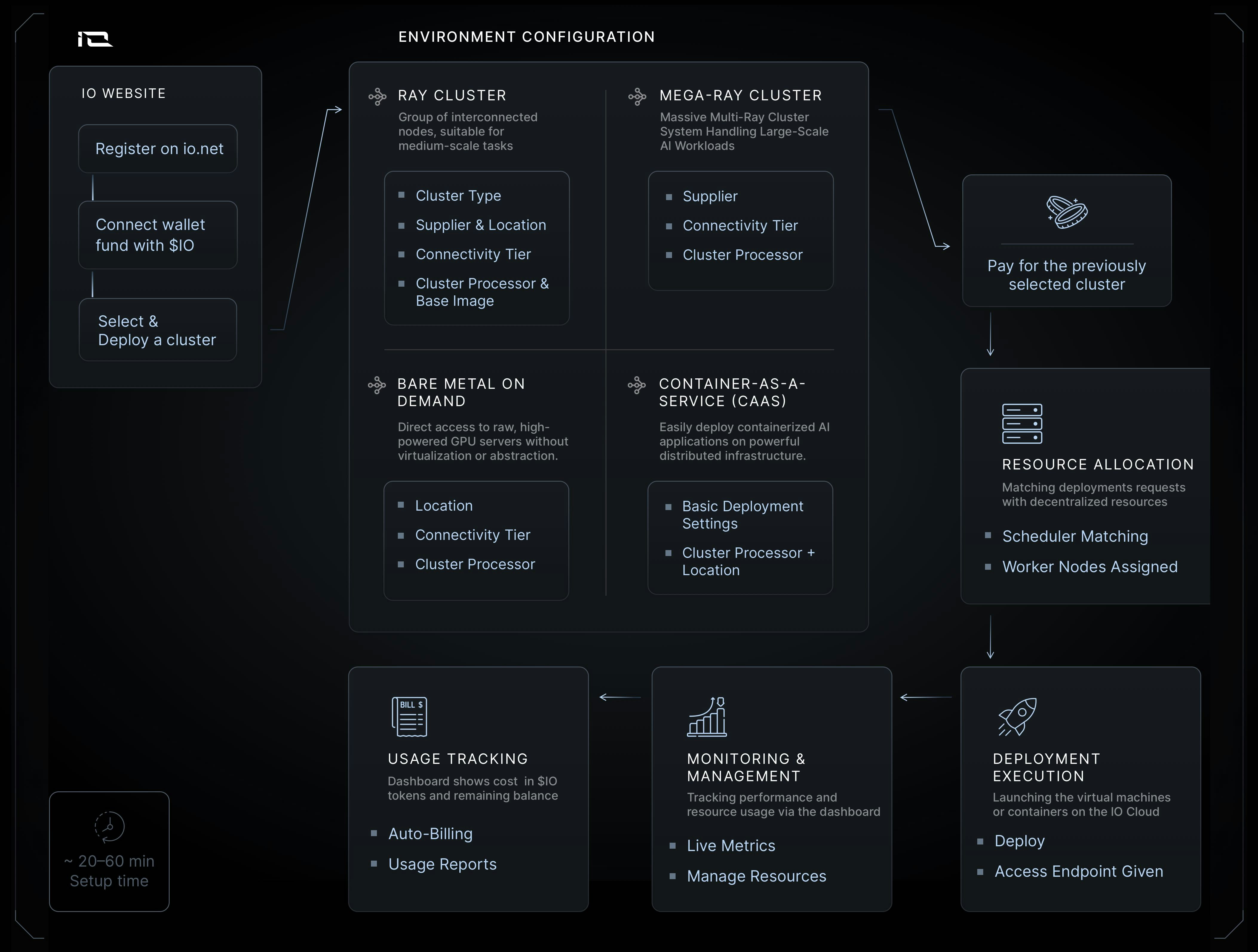
Create Account
To create an account, go to cloud.io.net using Google, Apple ID, GitHub, or simply with a one-time password by clicking the “Login with Email” button.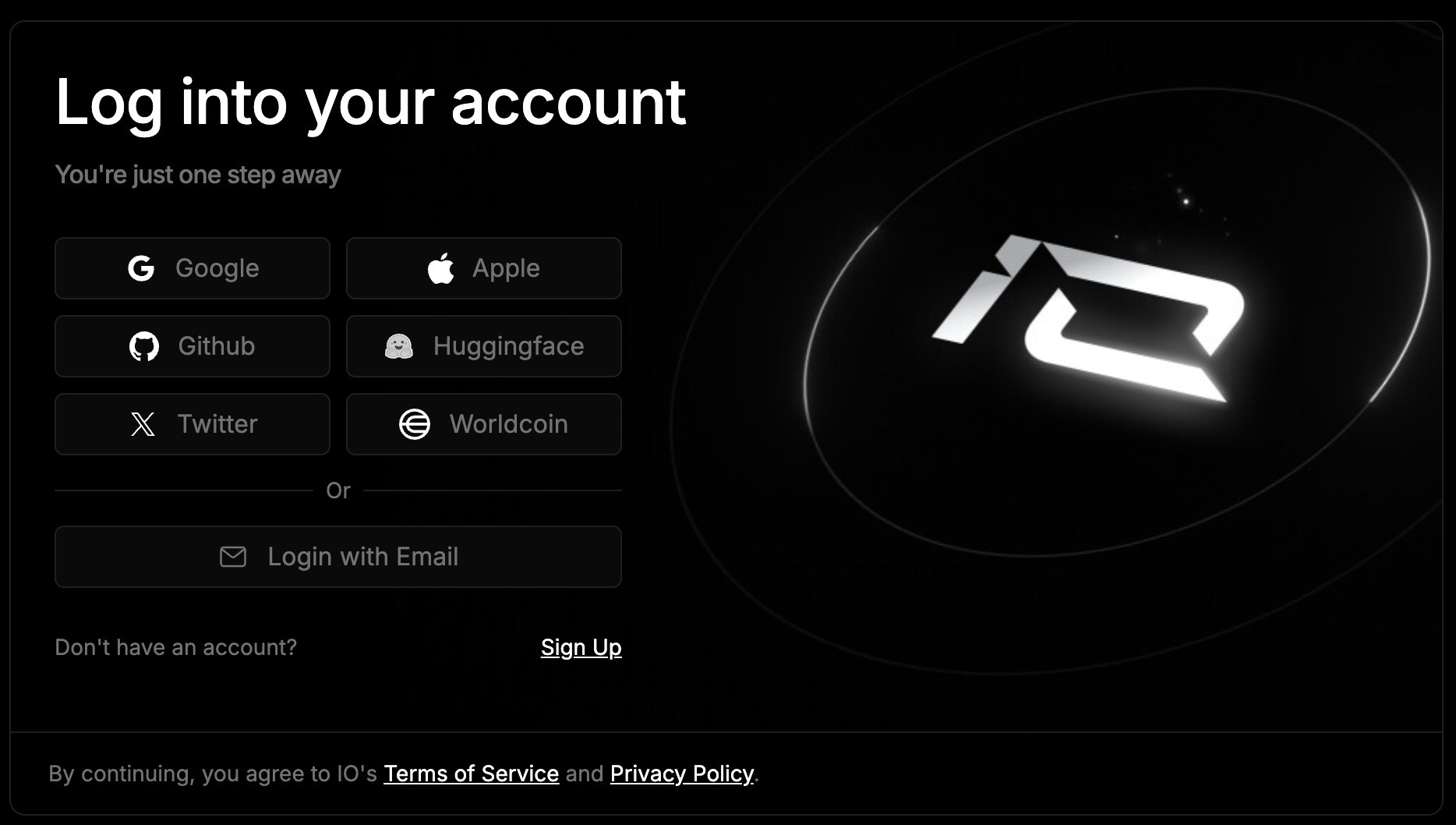
Payments
IO Cloud compute is paid with IO Credits. You can top up your credits in two convenient ways:- Solana: This cryptocurrency option enables fast, secure transactions. You can configure a Solana wallet either during account creation or through your Account Settings. Once configured, you can fund your wallet and top up your credits with $IO Coin or USDC.
- Credit Cards: We accept all major credit cards, providing a straightforward payment solution.
App Guide
The home page offers the following options:Clusters
io.net offers three distinct cluster options to power your AI projects: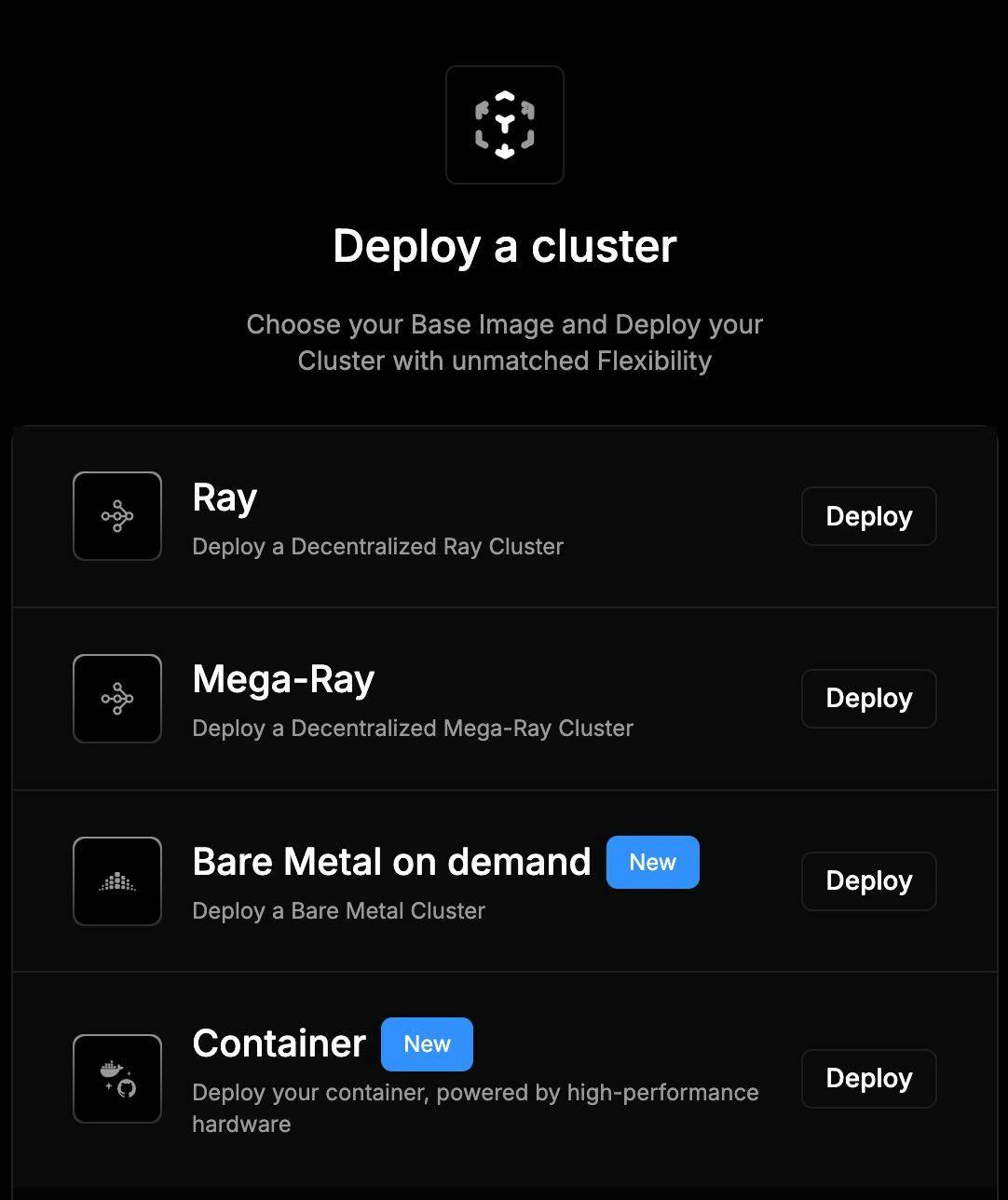
VM on Demand
Deploy fully equipped virtual machines optimized for AI and machine learning workflows in a few simple clicks.- Processor & Location Choice: Select from available GPUs and locations that meet your needs.
Container
Allows you to configure and deploy containers on powerful GPU-backed infrastructure through a simple, guided interface.- Step-by-Step Wizard: Set image, command, ports, environment variables, and more.
- Cluster & Location Choice: Select from available GPUs and regions that meet your needs.
- Fast Setup: Built for AI and compute-heavy workloads with rapid setup.
Managed Services
Covers the cluster types that io.net provisions and configures for you, rather than deploying them yourself from IO Cloud.- Available Cluster Types: Bare Metal, Kubernetes, Ray, and Confidential Compute.
- Provisioned for You: Our specialists size the cluster, set it up to your specifications, and hand it over ready to use.
- Request Access: Email our sales team with the cluster type you need, your preferred GPU type, and basic project details.
Clusters Tabs
The Cluster tabs provide a central hub for managing your deployed clusters. Each tab displays a list of clusters, categorized by type, with details such as:- Name: The unique identifier for the cluster.
- Accelerator (GPU): The type of GPU used in the cluster.
- Status: The current state of the cluster (e.g., running, stopped, pending).
- Remaining Compute Hours: The remaining time on your cluster’s billing cycle.
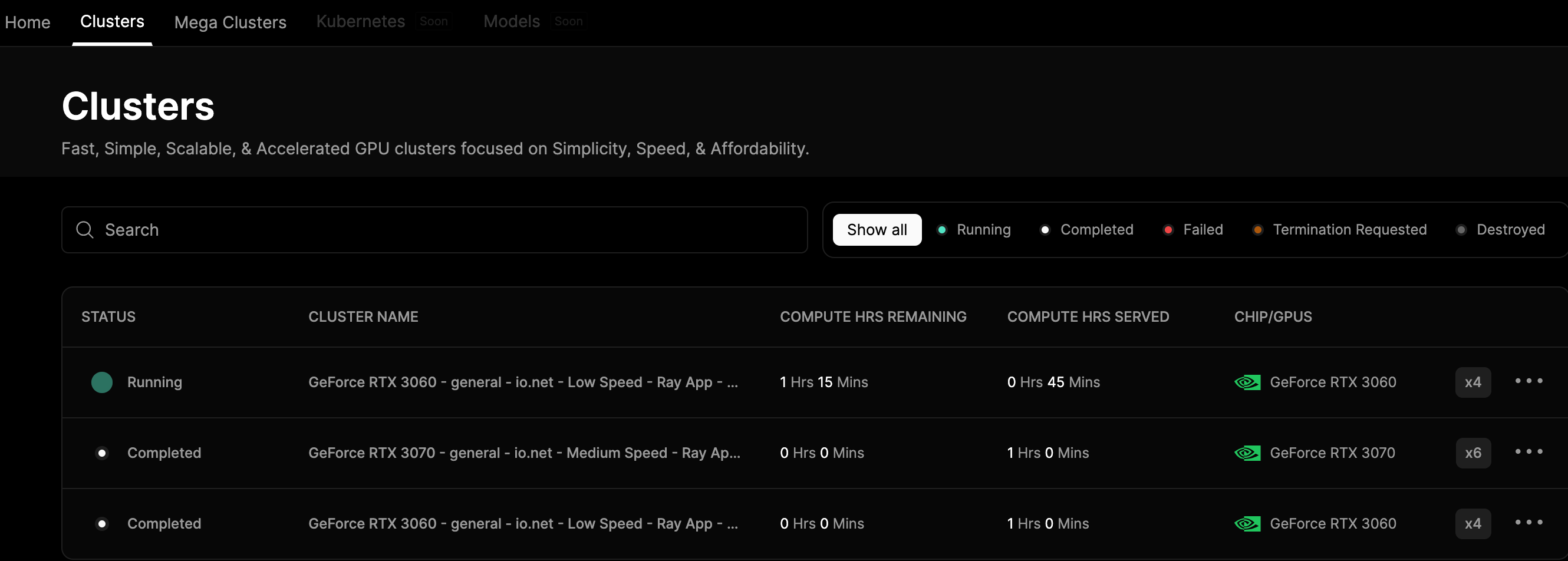
- Rename: Change the name of a cluster.
- Extend: Increase the duration of your cluster’s billing cycle.
- Terminate: Stop and delete a cluster.
- Visual Studio: An integrated code editing and debugging development environment.
- Jupyter Notebook: An interactive environment for data analysis and visualization.
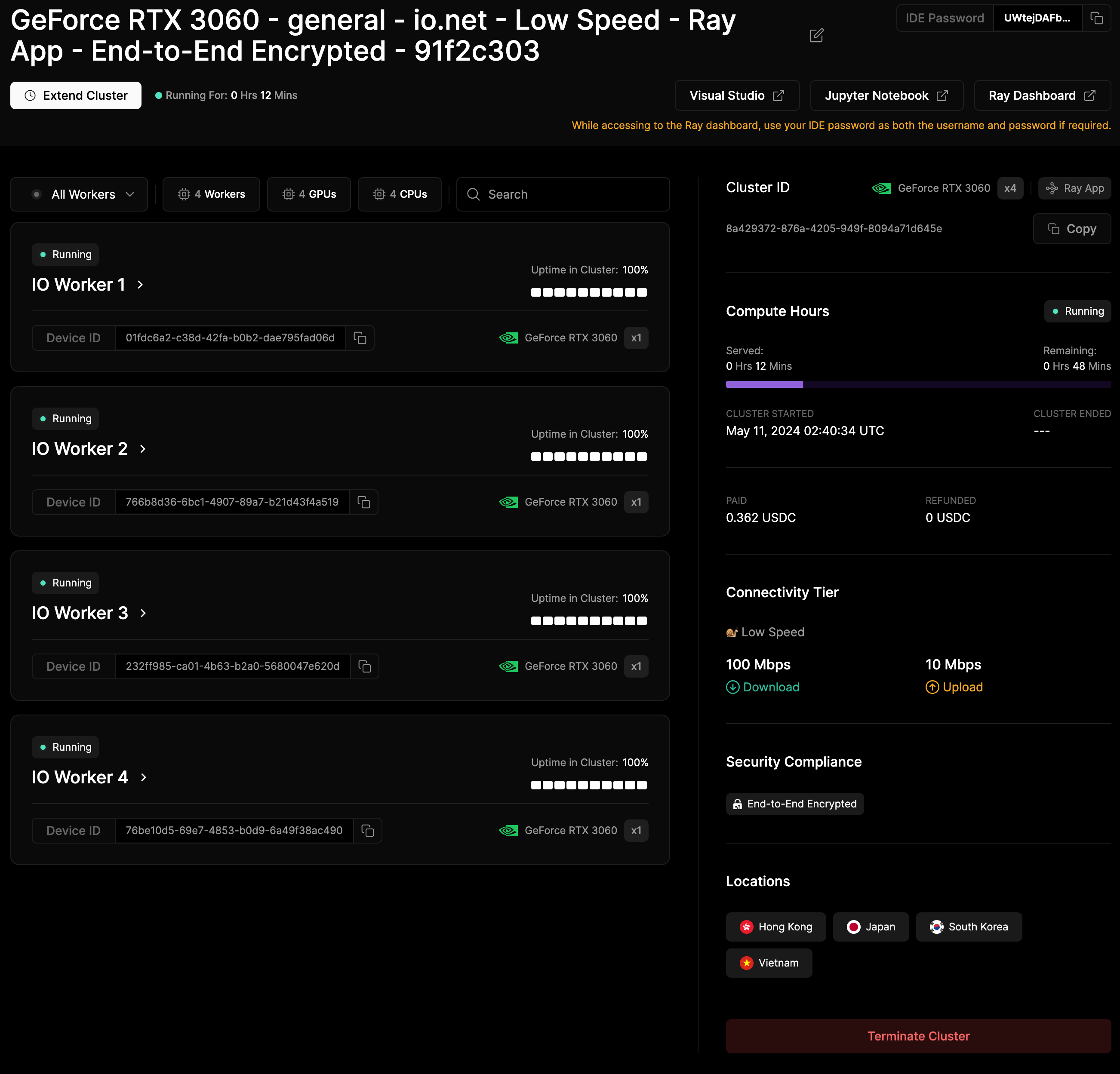
- Ray Dash: A dashboard for monitoring and managing distributed applications.